BP is the native token of the Backpack ecosystem, used for trading fee discounts, staking participation, and platform access. Backpack Wallet lets you buy BP directly through the in-wallet swap, with zero platform fees and support for any Solana token including SOL, USDC, and USDT.
- Live BP price: backpack.exchange/trade/BP_USD
- Contract address (Solana): BPxxfRCXkUVhig4HS1Lh7kZqV6SPJhzfEk4x6fVBjPCy
Always verify the contract address before swapping BP on any platform.
What You Need Before You Start
Before swapping for BP in Backpack Wallet, make sure you have:
- Backpack Wallet installed on your device, with support for iOS, Android, and browser extensions.
- A Solana token balance to swap from, such as USDC or USDT.
- A small amount of SOL in your wallet to cover Solana network fees.
If your wallet is empty, you can fund it by transferring tokens from any external wallet or exchange.
How to Buy BP on Backpack Wallet: Step-by-Step
Step 1: Download and Create Backpack Wallet
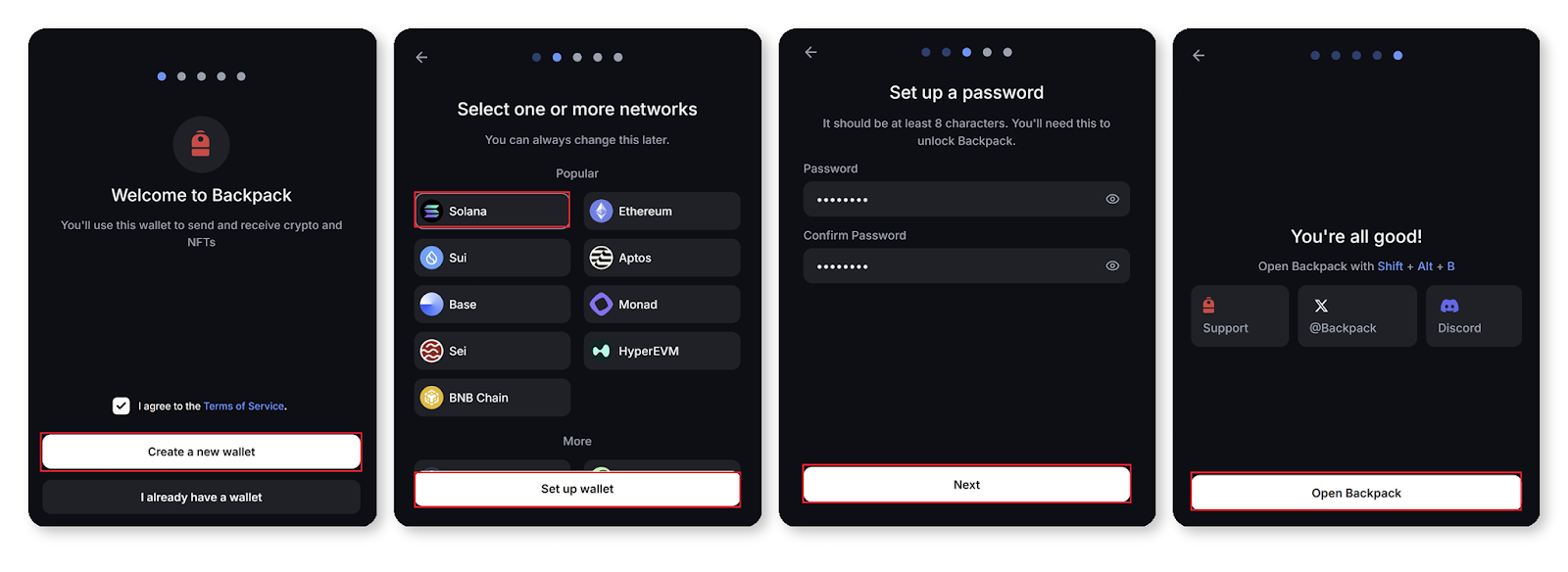
Download Backpack Wallet at backpack.app. Open the app and create a new wallet.
Step 2: Set Up Your Wallet
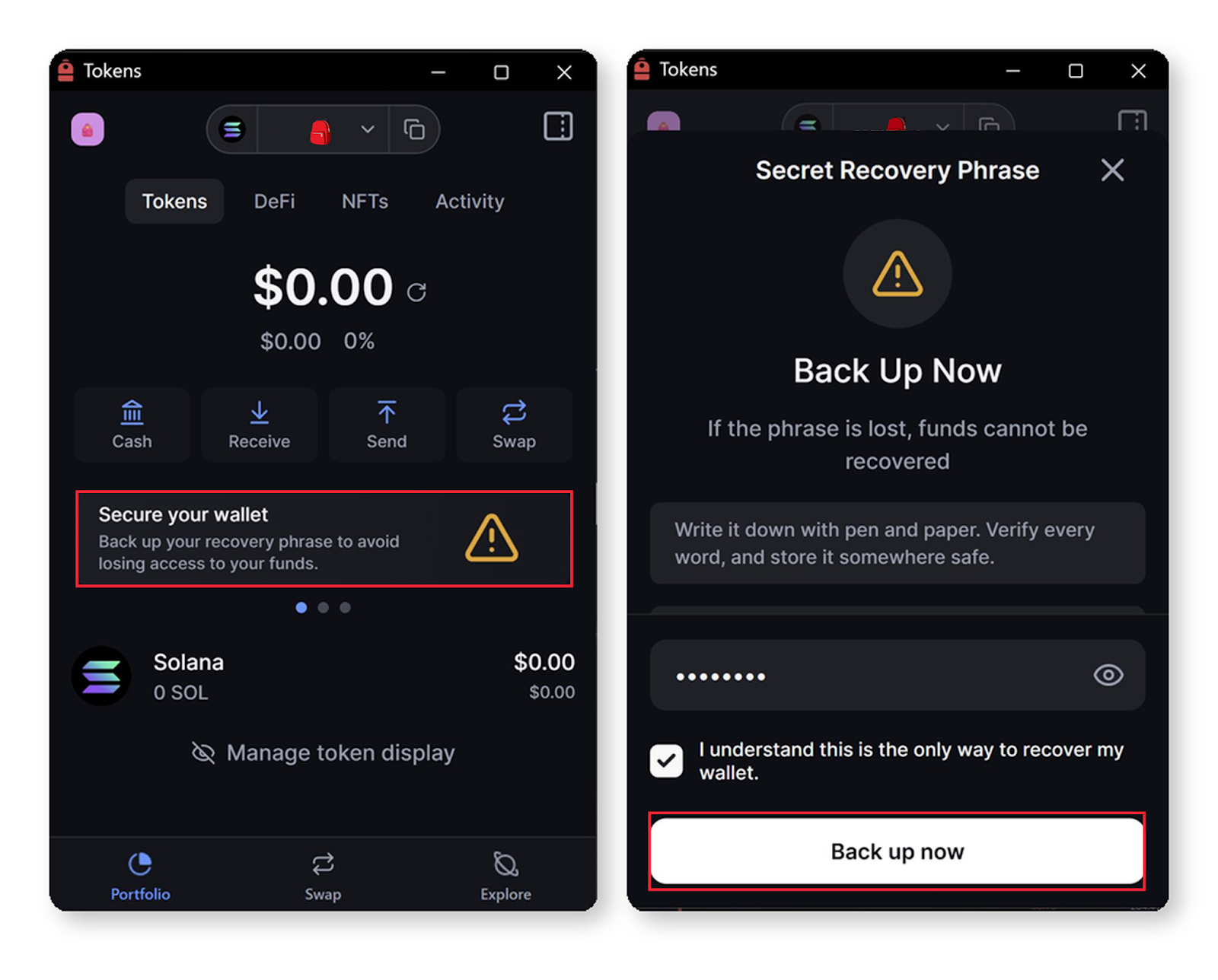
Select Solana as your network. Write down your recovery phrase and store it in a secure location. This is the only way to recover your wallet if you lose access to your device.
Step 3: Swap for BP
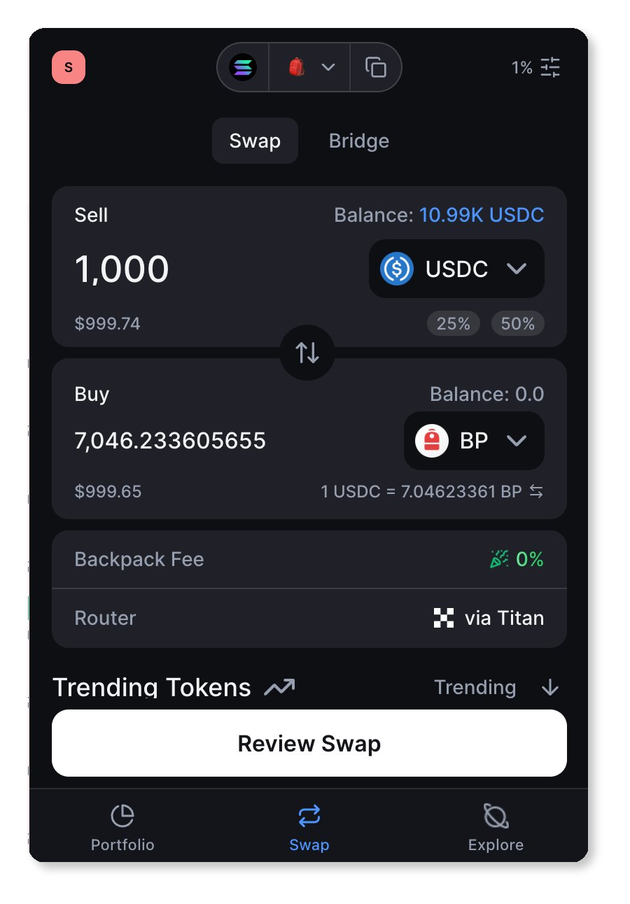
Open the Swap tab, select the token you want to swap from, and select BP as the token to receive. Enter the amount you want to swap.
Step 4: Confirm the Transaction
Review the estimated BP output and confirm. BP will appear in your wallet instantly once the transaction is processed on-chain.
What to Do After Buying BP
Stake. Transfer BP to Backpack Exchange to stake through the Backpack Participant Program. Staking may unlock reduced trading fees and access to the Equity Exchange Program, subject to eligibility requirements.
Hold. BP is a Solana SPL token, supported by Backpack Wallet and any Solana-compatible self-custody wallet.
DeFi. Access Solana DeFi — provide liquidity, trade tokens, and interact with onchain protocols and dApps.
Trade. Buy and sell BP on the spot market at backpack.exchange/trade/BP_USD.
Learn more about Backpack
Exchange | Wallet | Twitter | Discord | Reddit
Disclaimer: This content is presented to you on an “as is” basis for general information and educational purposes only, without representation or warranty of any kind. It should not be construed as financial, legal or other professional advice, nor is it intended to recommend the purchase of any specific product or service. You should seek your own advice from appropriate professional advisors. Where the article is contributed by a third party contributor, please note that those views expressed belong to the third party contributor, and do not necessarily reflect those of Backpack. Please read our full disclaimer for further details. Digital asset prices can be volatile. The value of your investment may go down or up and you may not get back the amount invested. You are solely responsible for your investment decisions and Backpack is not liable for any losses you may incur. This material should not be construed as financial, legal or other professional advice.

.avif)