Key Points
- Grid bots automate a simple trading strategy that capture small profits from price movement without needing to predict direction.
- Instead of placing trades manually, the bot continuously buys and sells within a defined range, allowing you to stay active without constant monitoring.
- On Backpack, grid bots include additional controls such as stop loss, take profit, and dynamic grid adjustments to help strategies respond to changing market conditions.
- Grid bots run as dedicated sub-accounts with native execution. No API keys or third-party tools are required, and your funds remain fully under your control.
- Idle capital inside a grid strategy can still earn yield through auto-lending, SOL staking, and stablecoin rewards, improving overall capital efficiency.
What Is a Grid Bot?
A grid bot is an automated trading strategy designed for one specific type of market: when price moves within a range.
You define a lower and upper price, along with how many levels you want between them. The bot then places buy orders below the current price and sell orders above it.
As price moves between these levels, trades are executed and reset, repeating the same cycle.
Instead of trying to predict direction, the strategy focuses on capturing volatility through repeated small trades.
This is why grid trading tends to perform best in sideways markets, where price repeatedly moves up and down within a defined range.
How Grid Bots Work on Backpack
Each grid runs inside a dedicated Trading Bot sub-account.
This setup keeps automated strategies separate from manual trading, making it easier to track performance and manage risk for each strategy.
Once configured, the bot places buy and sell orders across your defined range. As price moves between levels, trades are executed and new orders are placed to maintain the grid.
The strategy runs continuously without requiring manual input.
Execution happens natively on Backpack, so there is no reliance on API keys or third-party services. Orders are placed directly on the exchange, with the same execution environment as manual trades.
Grid bots can also respond to changing market conditions through price-based controls and risk management settings such as stop loss and take profit.
Key Features
1. Native Yield Integration
On most platforms, capital inside a grid strategy remains idle between trades.
On Backpack, unused funds can still earn yield through auto-lending, SOL staking, and stablecoin rewards.
This allows the strategy to generate returns even when trading activity slows down, improving overall capital efficiency.
2. Strategy Management with Sub-Accounts
Each grid runs in its own sub-account, which acts as a dedicated strategy environment.
This allows you to:
- Run multiple grids with different configurations
- Track performance separately for each strategy
- Adjust parameters without affecting other positions
All strategies remain visible within a single portfolio view, alongside your manual trades.
3. Spot and Futures Grid Support
Backpack grid bots support both spot and perpetual markets, each with a different use case.
Spot grids do not use leverage and carry no liquidation risk. However, the bot requires both assets to operate. Buy orders below the current price use the quote asset, while sell orders above require the base asset.
If you do not hold enough of the base asset, you can either buy it upfront or borrow it from the lending pool.
Futures grids are more capital-efficient and allow directional positioning, but introduce liquidation risk if not managed carefully.
4. Strategy-Level Stop Loss and Take Profit
Each grid can be configured with its own stop loss and take profit, based on its allocated capital.
This allows one strategy to stop without affecting others running in the same bot.
Bot-level controls are also available if you want to stop all grids at once.
5. Price Stops
Price stops pause a grid when the market reaches a predefined level.
Unlike stop loss and take profit, which track profit and loss, price stops are based purely on market price.
This makes them useful when you want to stop the strategy after price exits a defined range, regardless of performance.
6. Trailing Grid
Grid strategies can become inactive when price moves outside the defined range.
Trailing grids adjust the range as price moves, allowing the strategy to stay active instead of waiting for price to return.
On spot markets, the grid adjusts upward only. On futures, it can adjust in both directions.
7. Grid Trigger Price
A trigger price allows the strategy to activate only when the market reaches a specific level.
This is useful when you want to wait for confirmation before entering, such as after a breakout or a retest.
8. Close All on Stop
When a grid stops, this setting determines how open positions are handled.
If enabled, the bot closes its net position at market. If disabled, any remaining exposure stays in the subaccount and must be managed manually.
The bot only closes positions it opened.
9. Directional Bias (Futures Only)
Futures grids can be configured with a directional bias.
Neutral mode runs a balanced grid. Long and short modes allow the strategy to align with a broader market view.
Why Use Backpack Grid Bots?
Grid bots are most useful in markets where price moves, but direction is unclear.
In these conditions, manual trading often becomes inconsistent. Traders react to short-term moves, miss entries, or overtrade.
Grid bots approach the market differently. Instead of predicting direction, the strategy focuses on capturing volatility through repeated trades within a defined range.
This allows you to stay active without needing to monitor the market constantly.
On Backpack, grid bots extend beyond basic automation. Each strategy runs in its own sub-account, making it easier to track performance and manage risk across multiple setups.
At the same time, capital inside the grid can continue earning yield when not actively trading. This helps improve overall capital efficiency, especially during slower periods.
Grid bots can be a practical option when you want consistent exposure to market movement, without relying on constant manual execution.
Getting Started
Log in to your Backpack Exchange account.
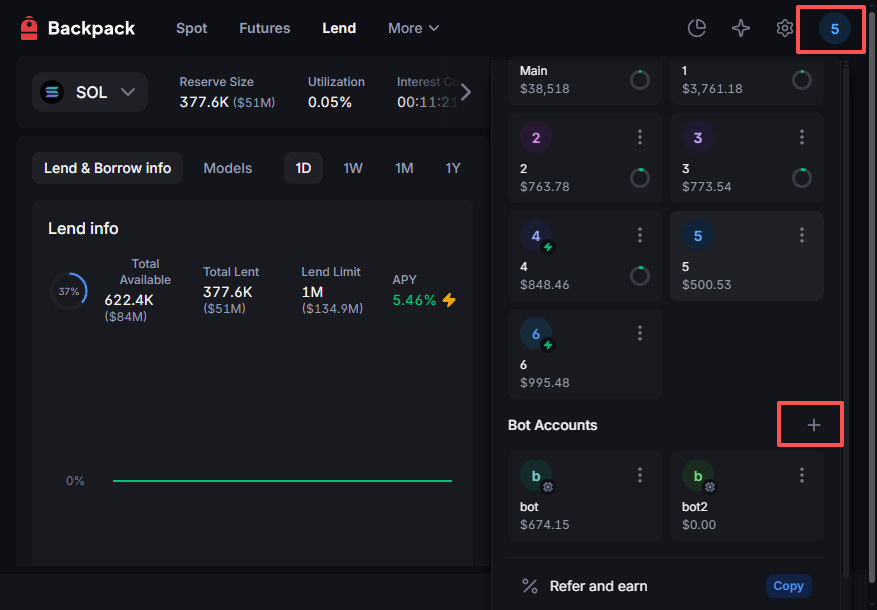
Navigate to Trading Bots under the main trading menu.
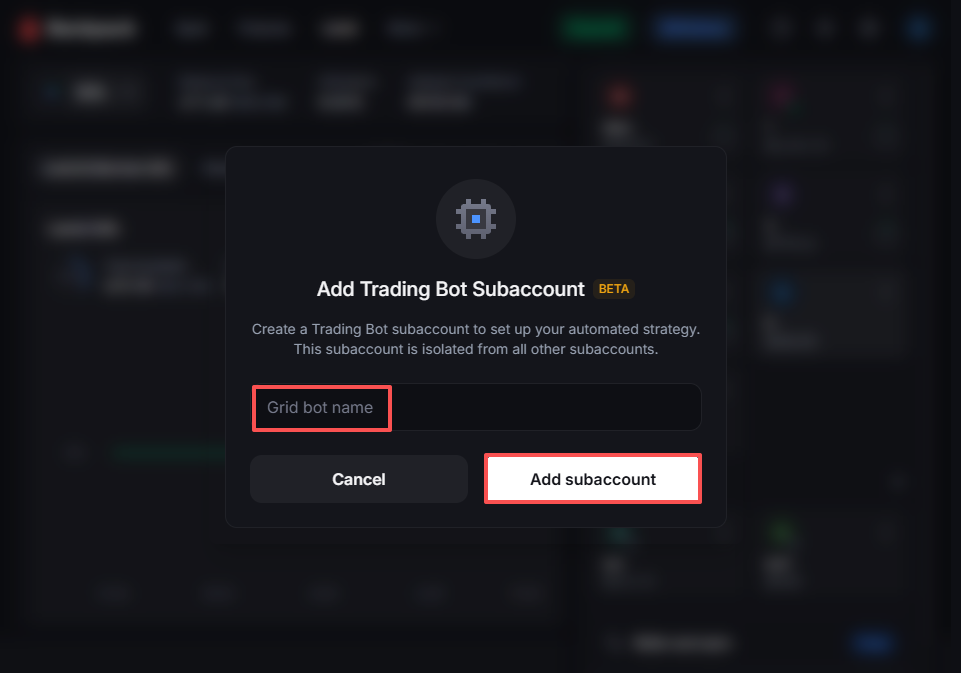
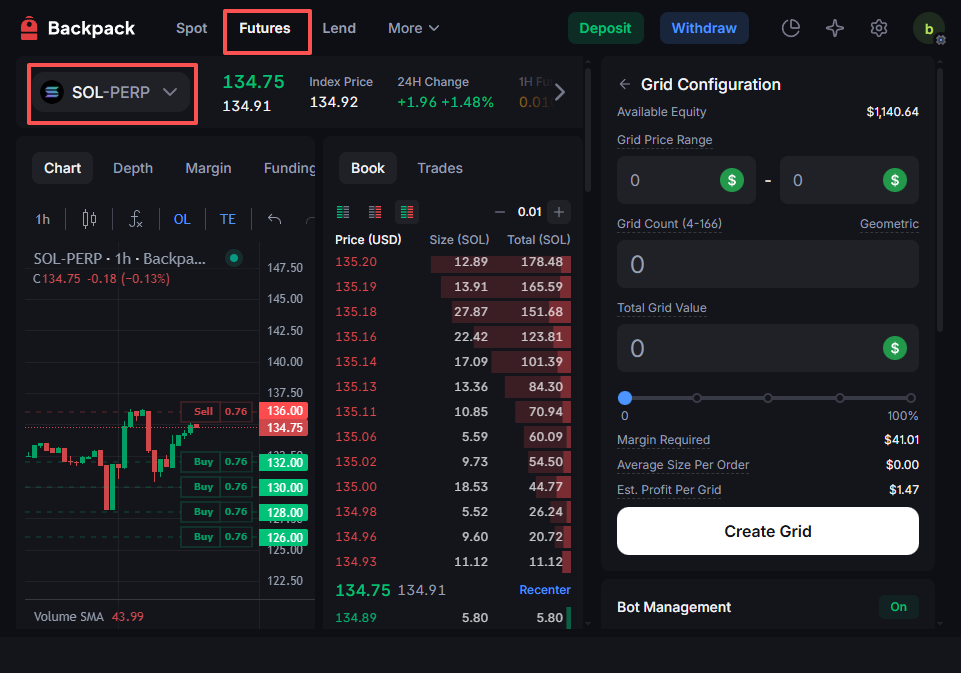
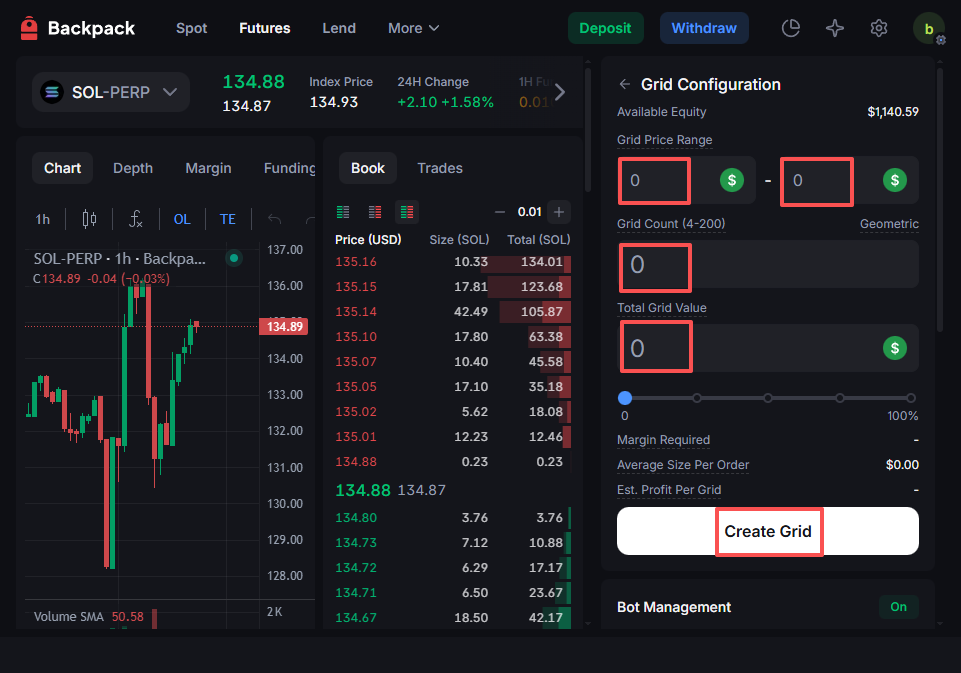
Create a new Grid Bot strategy and define your grid range, number of orders, and investment amount.
Monitor real-time performance and adjust parameters anytime.
Your funds remain in your Backpack account, without relying on API keys or third-party connections.
Learn more about Backpack
Exchange | Wallet | Twitter | Discord | Reddit
Disclaimer: This content is presented to you on an “as is” basis for general information and educational purposes only, without representation or warranty of any kind. It should not be construed as financial, legal or other professional advice, nor is it intended to recommend the purchase of any specific product or service. You should seek your own advice from appropriate professional advisors. Where the article is contributed by a third party contributor, please note that those views expressed belong to the third party contributor, and do not necessarily reflect those of Backpack. Please read our full disclaimer for further details. Digital asset prices can be volatile. The value of your investment may go down or up and you may not get back the amount invested. You are solely responsible for your investment decisions and Backpack is not liable for any losses you may incur. This material should not be construed as financial, legal or other professional advice.