
BP is the native token of the Backpack ecosystem, available to buy directly on Backpack Exchange. This guide walks you through everything you need, from setting up your account to placing your first order.
BP Token Details
- Asset name: Backpack
- Ticker: BP
- Blockchain: Solana
- Total supply: 1,000,000,000 BP
- Contract address: BPxxfRCXkUVhig4HS1Lh7kZqV6SPJhzfEk4x6fVBjPCy
- Live price: backpack.exchange/price/bp
Note: Always verify contract address before buying on any platform.
What You Need Before You Start
Before buying BP, make sure you have:
- A verified Backpack Exchange account
- Funds ready to deposit. Accepted methods include USD via bank wire or supported crypto assets.
How to Buy BP on Backpack Exchange
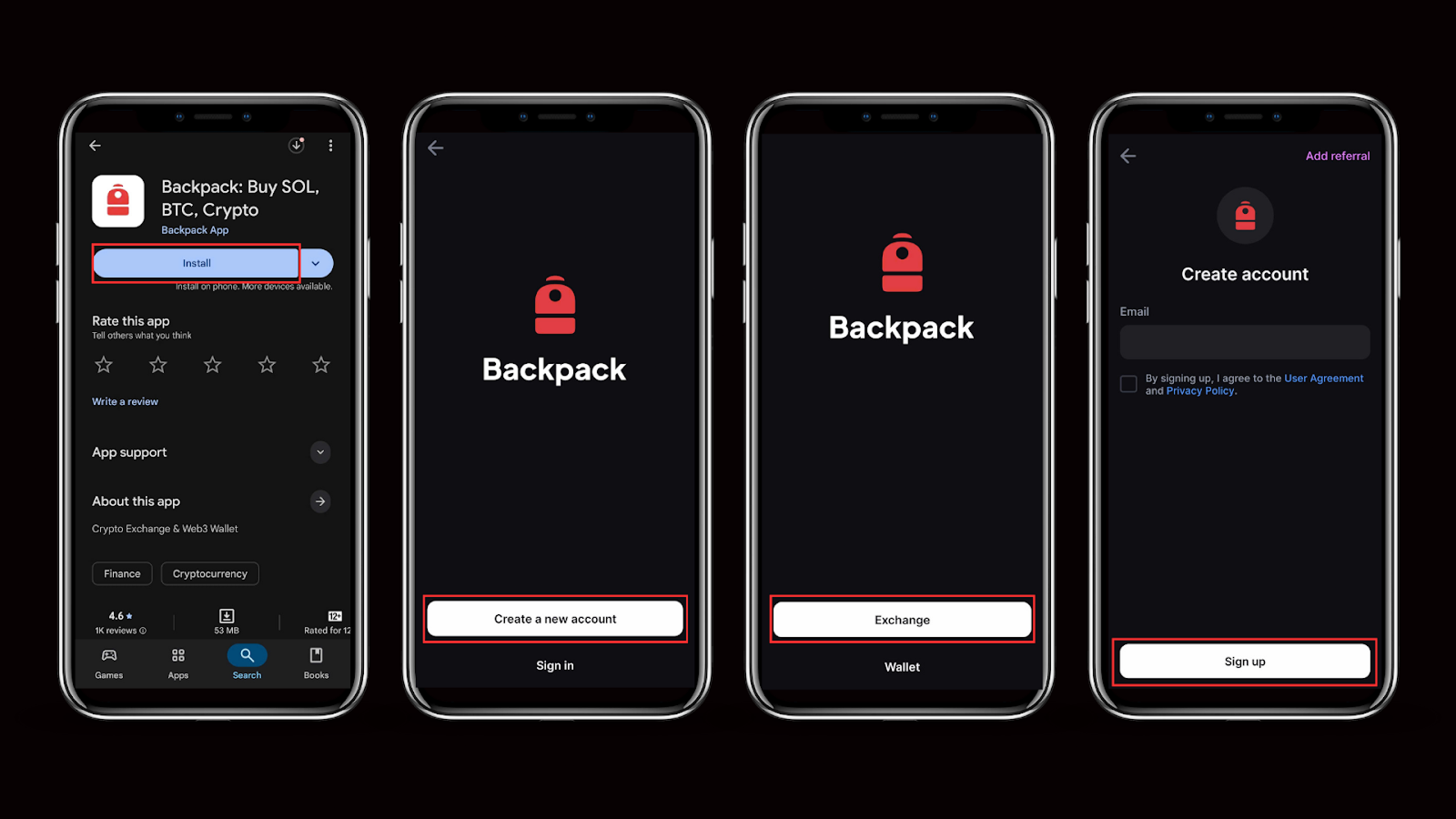
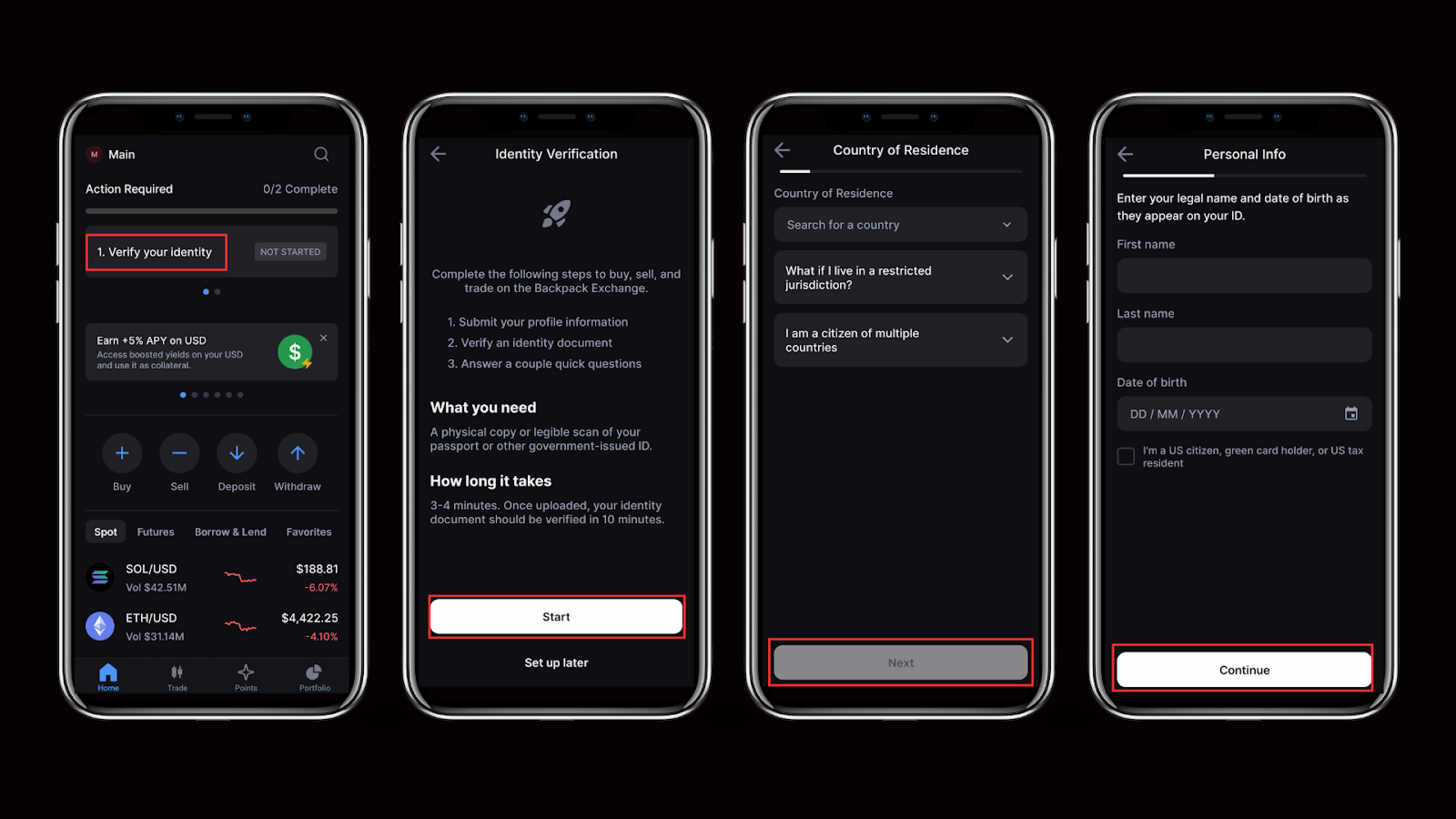
Step 1: Create and Verify Your Account
Visit backpack.exchange and sign up. Complete KYC verification to unlock full trading and deposit access.
Step 2: Deposit Funds
USD via bank wire: Wire fees depend on your staking tier. USD converts to USDC at 1:1 with no slippage.
Crypto: Transfer USDC, USDT, SOL, BTC, ETH, or other supported assets from any external wallet or exchange.
Step 3: Navigate to the BP Market
Go to Trade → BP/USD or directly to backpack.exchange/trade/BP_USD.
Step 4: Place Your Buy Order
Select your order type based on how you want to enter the market.
Market order: Executes immediately at the best available price. Best for speed.
Limit order: Sets your exact entry price. Your order waits until BP reaches your target level. Best for entering at a specific price without chasing the market.
TWAP: Executes your order in multiple smaller transactions across a set time window. Best for building a BP position over time while smoothing out short-term price swings.
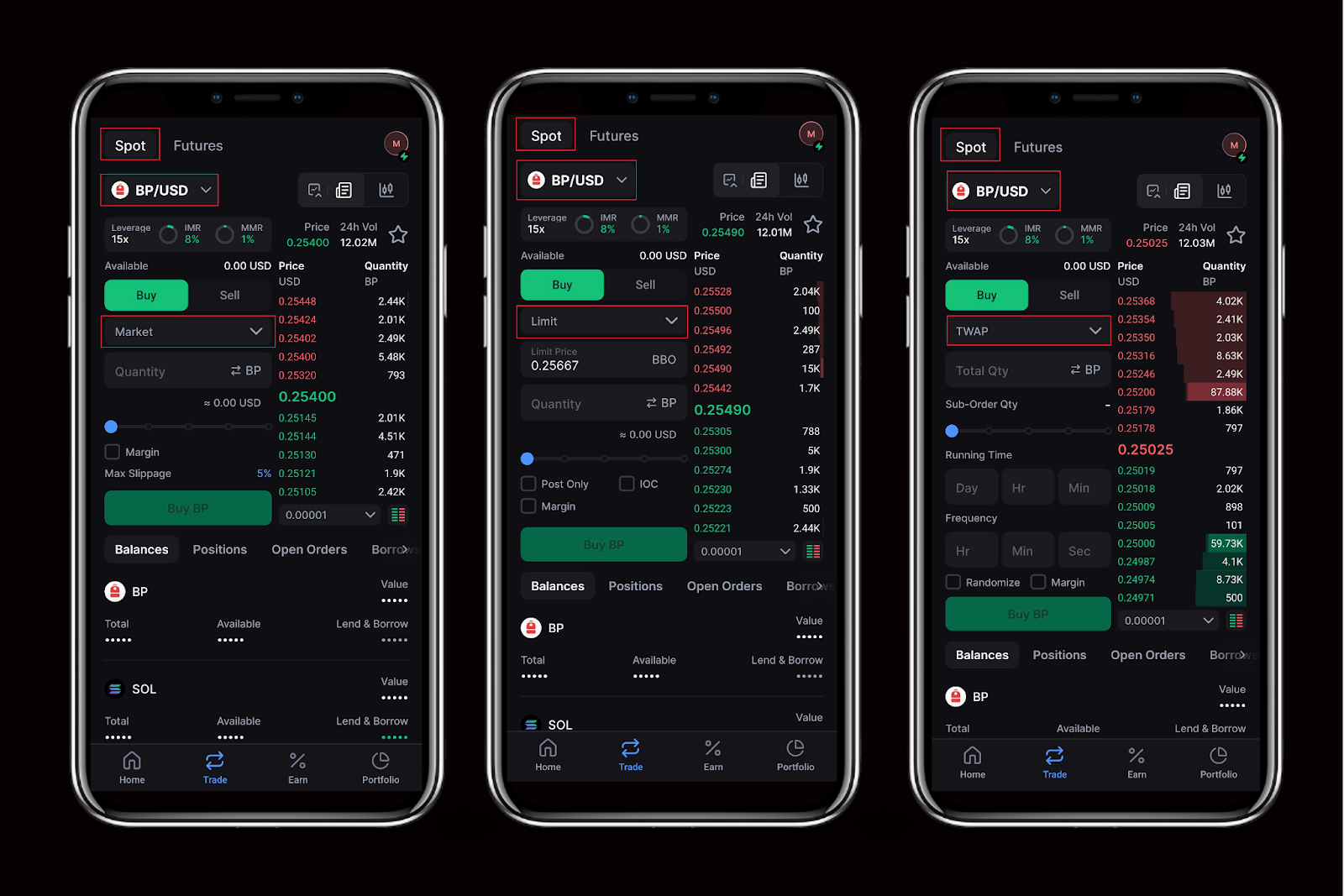
Enter your amount and confirm. BP will appear in your Backpack wallet once the order fills.
What to Do After Buying BP
Stake. Stake BP through the Backpack Participant Program at backpack.exchange/bp to unlock reduced trading fees, wire discounts, and access to the Equity Exchange program.
Hold. Keep BP in your Backpack Exchange wallet or transfer it to any Solana-compatible self-custody wallet, including Backpack Wallet.
Trade. Continue trading BP on the spot market at Backpack Exchange.
Learn more about Backpack
Exchange | Wallet | Twitter | Discord | Reddit
Disclaimer: This content is presented to you on an “as is” basis for general information and educational purposes only, without representation or warranty of any kind. It should not be construed as financial, legal or other professional advice, nor is it intended to recommend the purchase of any specific product or service. You should seek your own advice from appropriate professional advisors. Where the article is contributed by a third party contributor, please note that those views expressed belong to the third party contributor, and do not necessarily reflect those of Backpack. Please read our full disclaimer for further details. Digital asset prices can be volatile. The value of your investment may go down or up and you may not get back the amount invested. You are solely responsible for your investment decisions and Backpack is not liable for any losses you may incur. This material should not be construed as financial, legal or other professional advice.
.avif)