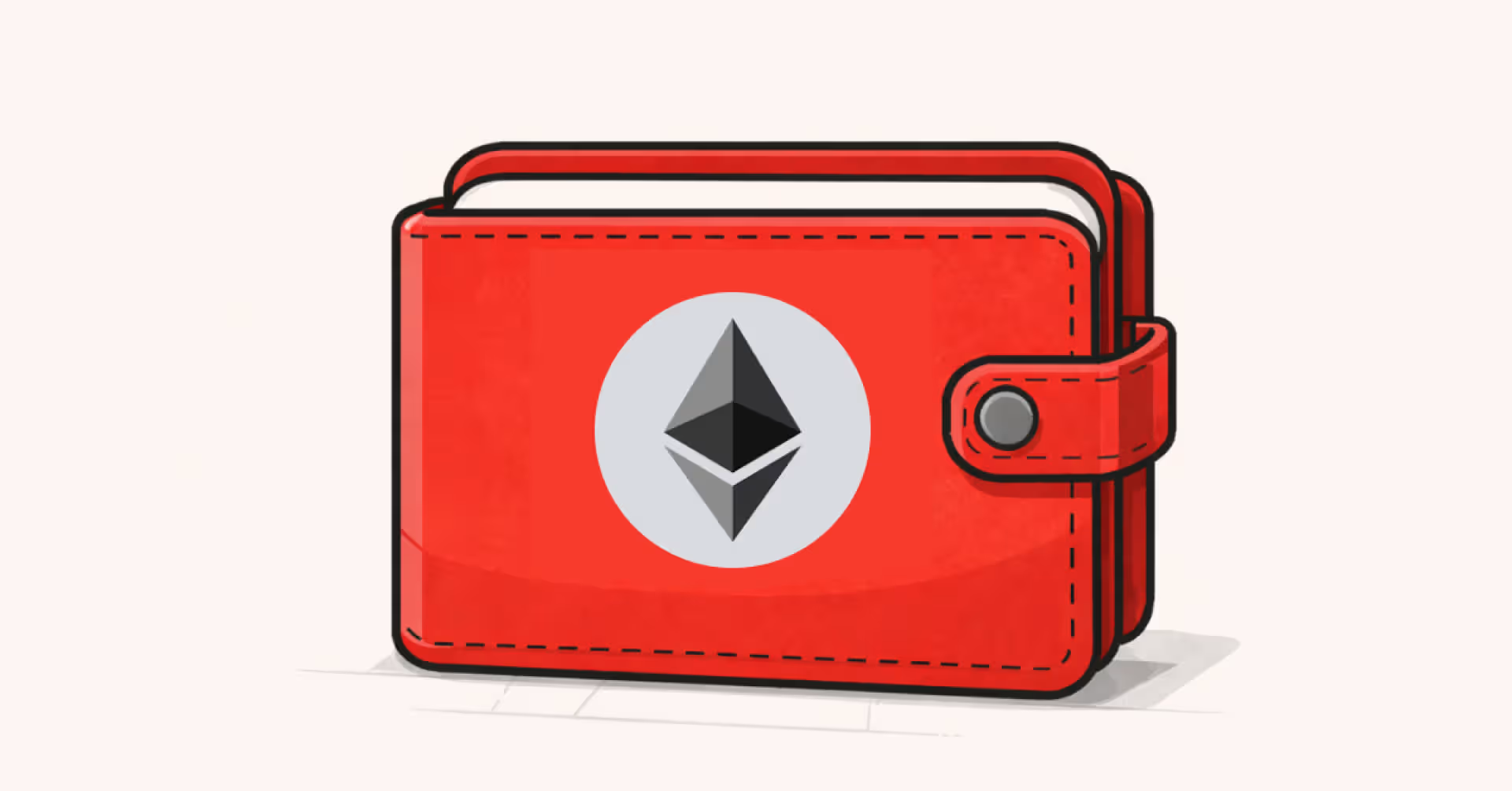
An Ethereum wallet is more than just a place to store ETH. It is the tool that lets you manage tokens, NFTs, and interact with decentralized applications on the Ethereum network.
In this guide, you'll learn how Ethereum wallets work, what security features matter most, and how multi-chain wallets like Backpack let you manage Ethereum alongside other major networks from one app on desktop and mobile.
Key Takeaways
- An Ethereum wallet lets you manage ETH, ERC-20 tokens, and NFTs by controlling your private keys.
- It does not store crypto directly. It manages access to assets recorded on the Ethereum blockchain.
- There are several types of Ethereum wallets, including browser wallets, mobile wallets, hardware wallets, and exchange accounts. Each has different trade-offs between security and convenience.
- The best Ethereum wallet depends on your needs, such as security, DeFi access, NFT support, or multi-chain compatibility.
- Multi-chain wallets like Backpack support Ethereum alongside Arbitrum, Base, Optimism, Polygon, Solana, and other networks within one interface.
- Always store your recovery phrase offline and never share it. It is the only way to recover your wallet if you lose access to your device.
What Is an Ethereum Wallet?
An Ethereum wallet is a software or hardware tool that allows you to send and receive ETH, manage ERC-20 tokens, hold NFTs, and connect to decentralized applications on the Ethereum network.
It does not store cryptocurrency directly. Instead, it stores the private keys that give you access to your assets on the blockchain.
Every Ethereum wallet includes:
- Public address (0x address): A 42-character string starting with 0x that you share to receive ETH or tokens.
- Private key: A secret cryptographic key that authorizes transactions.
- Recovery phrase or seed phrase: A set of 12 to 24 words that can restore your wallet if you lose access.
Whoever controls the private key controls the assets.
How Does an Ethereum Wallet Work?
An Ethereum wallet works by generating and managing cryptographic keys that allow you to sign transactions on the blockchain.
When you send ETH or interact with a decentralized application:
- Your wallet creates a transaction request.
- It signs the transaction using your private key.
- The Ethereum network verifies the signature without exposing your key.
- Validators record the transaction permanently on-chain.
Every transaction on Ethereum requires a fee called gas, which is paid in ETH. Gas fees vary depending on network congestion and transaction complexity.
Your wallet also acts as your Web3 login. When you connect to applications like Uniswap or OpenSea, your wallet signs a message to confirm your identity without revealing your private key.
Although your wallet app shows balances and transaction history, your assets always remain on the blockchain. The wallet simply provides the interface that allows you to interact with them securely.
What Can You Do With an Ethereum Wallet?
A modern Ethereum wallet allows you to:
- Send and receive ETH
- Manage ERC-20 tokens such as USDC, USDT, UNI, and AAVE
- Store and transfer NFTs using ERC-721 and ERC-1155 standards
- Connect to decentralized applications such as Uniswap, Aave, and other DeFi platforms
- Swap tokens directly within the wallet
- Bridge assets to Layer 2 networks including Arbitrum, Base, Optimism, and Polygon
- Stake ETH or participate in liquid staking protocols
- Sign Web3 transactions and authenticate to dApps securely
Modern users increasingly expect wallets to support multi-chain usage, not just Ethereum mainnet.
How to Choose the Right Ethereum Wallet
If you are searching for the best Ethereum wallet, focus on these seven criteria before making a decision.
1. Self-Custody. Do you control your private keys? Non-custodial wallets give you full ownership of your assets. If a third party holds your keys, they ultimately control your funds.
2. Security Design. Look for clear signing prompts, phishing detection, scam alerts, and transparent transaction details before you confirm anything. A good wallet should make it easy to understand exactly what you are approving.
3. Multi-Chain Support. Can it manage Ethereum and other networks such as Arbitrum, Base, or Solana in one place? Switching between multiple wallet apps adds friction and increases the risk of errors.
4. NFT Compatibility. Look for full ERC-721 and ERC-1155 support, clear metadata display, and NFT locking to prevent unauthorized transfers.
5. Built-In Swaps and Bridging. Integrated swaps and cross-chain bridges reduce the need to connect to external platforms, lowering exposure to phishing and smart contract risk. Some wallets also offer 0% protocol fees on swaps and bridges, reducing the cost of moving assets between networks.
6. Cross-Platform Access. Choose a wallet available on iOS, Android, and as a browser extension, with a consistent experience across devices.
7. User Experience. A clean interface, readable transaction previews, and simple navigation matter, especially when interacting with unfamiliar dApps.
How Backpack Supports Ethereum Users
Some users prefer wallets that support Ethereum alongside multiple networks within a single interface.
Backpack supports Ethereum natively, along with major Layer 2 and alternative networks such as Arbitrum, Optimism, Polygon, BNB Chain, Sui, Sei, and Monad. This allows users to manage assets across both EVM and non-EVM ecosystems under one recovery phrase.
For Ethereum users, Backpack offers:
- Support for ETH and ERC-20 tokens on mainnet and major Layer 2 networks
- NFT compatibility with ERC-721 and ERC-1155 standards
- Integrated token swaps and cross-chain bridging with 0% protocol fees
- Curated dApp access within the wallet interface
- Hardware wallet integration for additional security
- Availability on iOS, Android, and browser extension
For users active across multiple ecosystems, this unified structure can simplify asset management while maintaining self-custody.
How to Create an Ethereum Wallet with Backpack
Setting up an Ethereum wallet with Backpack typically takes only a few minutes.
On Desktop
1. Download the Backpack browser extension from the official Backpack website.
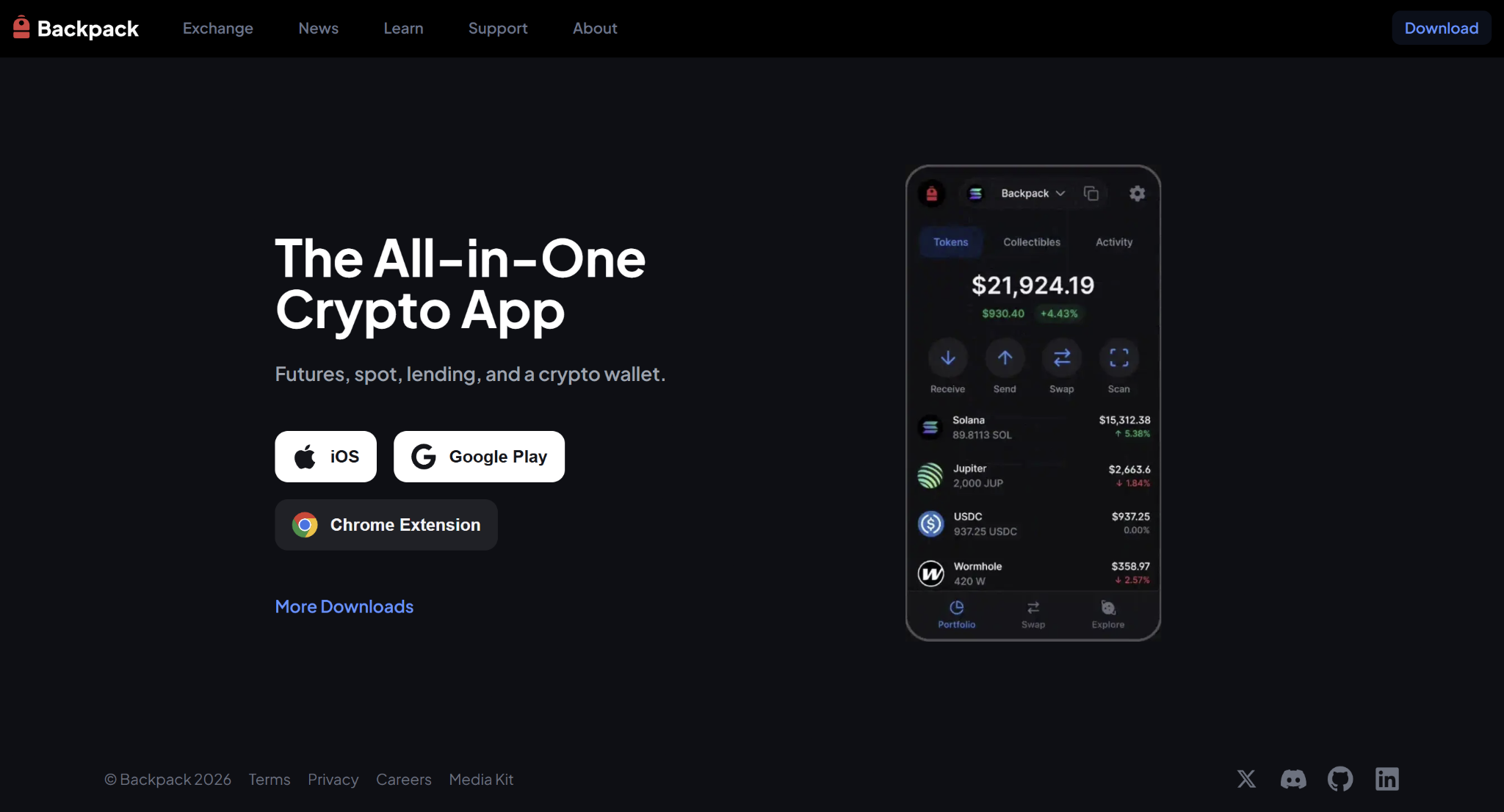
2. Open the extension and select Create a new wallet.
3. Choose Ethereum as your starting network. Additional networks can be added later.
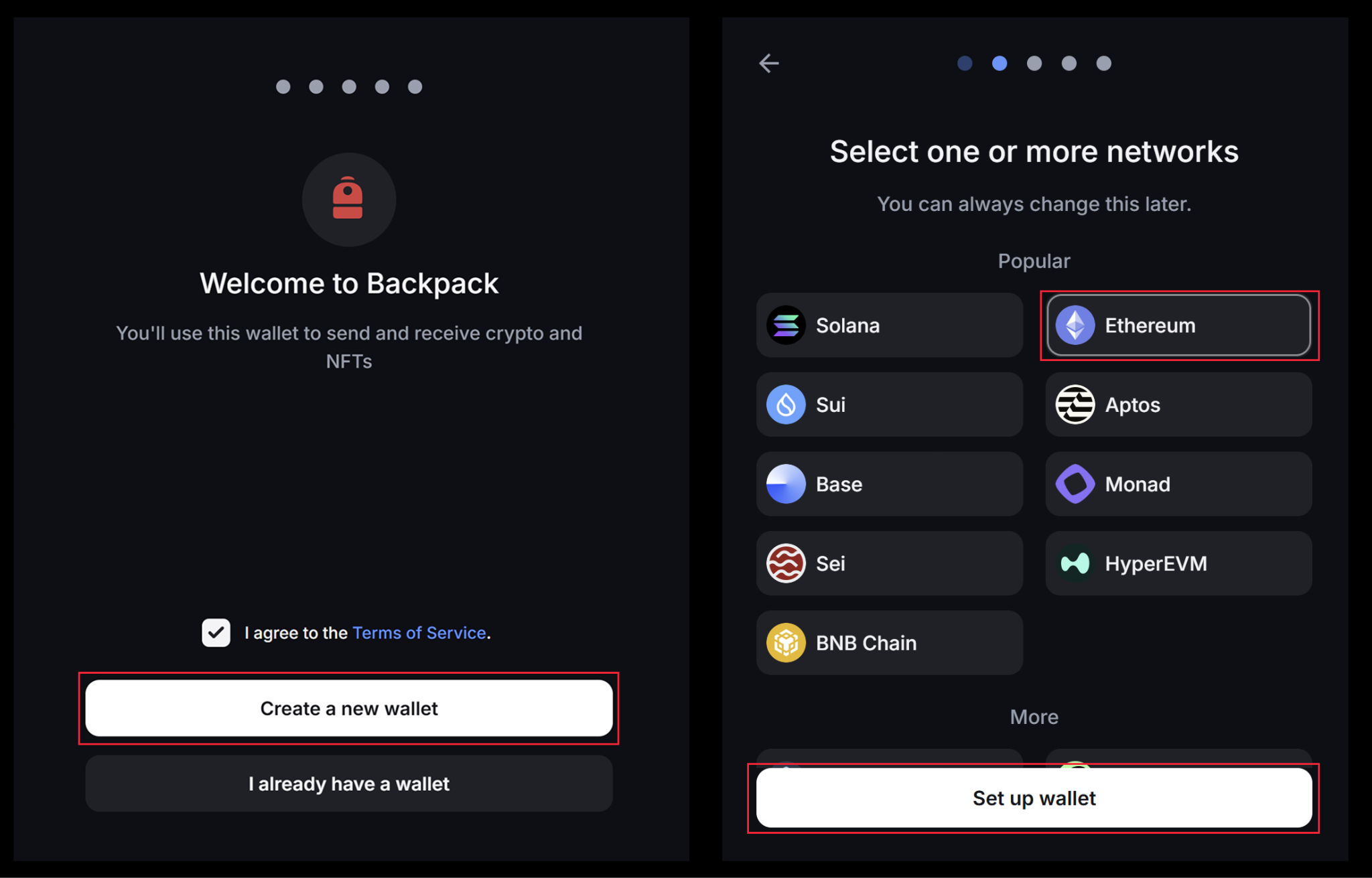
4. Create a strong password.
5. Write down your 12-word recovery phrase and store it securely offline.
6. Confirm the recovery phrase when prompted.
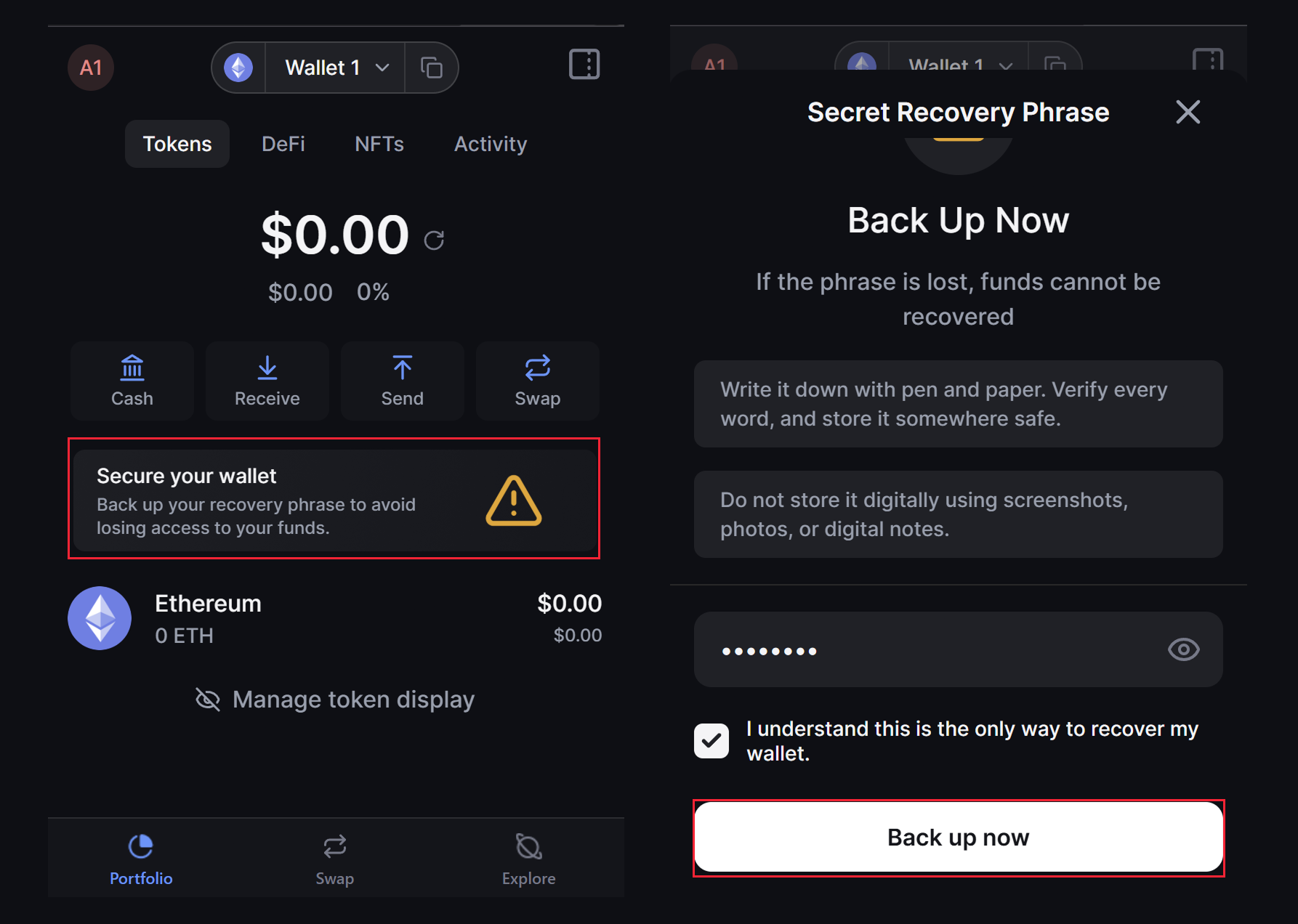
Your Ethereum wallet address will begin with 0x.
On Mobile
1. Download Backpack from the official App Store or Google Play listing.
2. Create a new wallet.

3. Select Ethereum as your starting network.
4. Back up your recovery phrase securely offline.
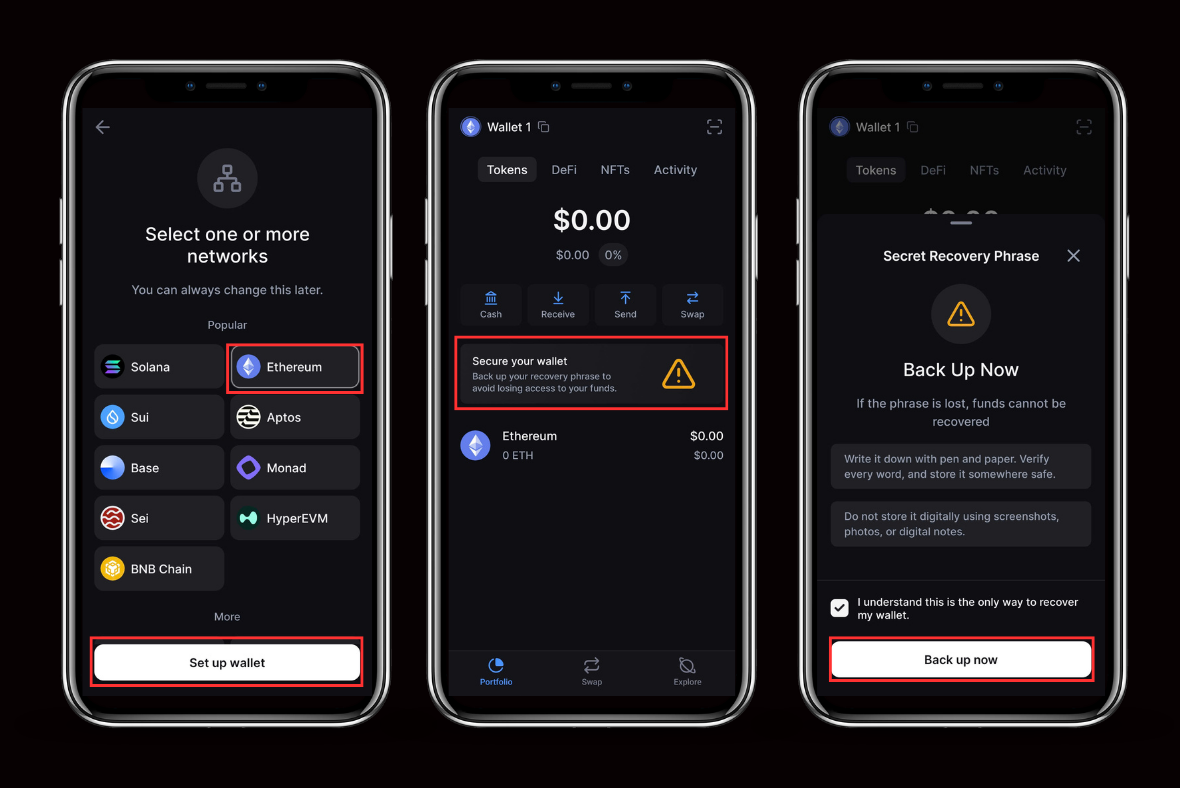
After setup, ETH can be transferred from an exchange or purchased through supported funding options.
Is an Ethereum Wallet Safe?
An Ethereum wallet is only as secure as the practices of the person using it. While modern wallets include security features, protecting your assets ultimately depends on how you manage your keys and approvals.
Key security practices include:
Protect Your Recovery Phrase Above Everything Else
Your recovery phrase is the master key to your wallet. Anyone who has it can access your funds. Write it down on paper, store it securely offline, and never save it digitally. Avoid screenshots, cloud storage, or email drafts.
Use a Hardware Wallet for Large Holdings
Pairing a software wallet with a hardware device such as Ledger or Trezor adds an extra layer of protection. Hardware wallets require physical confirmation for each transaction, reducing exposure to remote attacks.
Stay Vigilant Against Phishing
Phishing remains one of the most common risks in crypto. Always verify URLs before connecting your wallet and avoid unsolicited links. Some wallets include built-in scam detection features that warn users before interacting with suspicious sites
Review and Revoke Token Approvals Regularly
DeFi applications require permission to access your tokens. If a platform is later compromised, unused approvals may pose a risk. Periodically review and revoke approvals you no longer need.
Double-Check Recipient Addresses
Ethereum transactions are irreversible. Always verify the full address before sending funds, as certain malware can replace copied addresses with attacker-controlled ones.
Common Mistakes to Avoid
Even experienced users can make costly mistakes when managing an Ethereum wallet. Avoid the following:
- Storing your recovery phrase online or in screenshots
- Signing transactions without reviewing the details
- Using unknown or unverified browser extensions
- Connecting to suspicious dApps or unfamiliar links
- Sending ETH to the wrong network
- Ignoring token approval permissions granted to dApps
Avoiding these common mistakes can significantly reduce the risk of losing access to your funds.
Final Thoughts
An Ethereum wallet is essential for accessing the Ethereum ecosystem, from holding ETH to interacting with NFTs and decentralized applications.
The right wallet depends on your security needs, usage habits, and whether you operate across multiple networks.
As Web3 continues to evolve into a multi-chain environment, many users prefer solutions that allow Ethereum and other supported networks to coexist within one secure interface.
Choose carefully, protect your recovery phrase, and always verify transactions before signing.
Learn more about Backpack
Exchange | Wallet | Twitter | Discord | Reddit
Disclaimer: This content is presented to you on an “as is” basis for general information and educational purposes only, without representation or warranty of any kind. It should not be construed as financial, legal or other professional advice, nor is it intended to recommend the purchase of any specific product or service. You should seek your own advice from appropriate professional advisors. Where the article is contributed by a third party contributor, please note that those views expressed belong to the third party contributor, and do not necessarily reflect those of Backpack. Please read our full disclaimer for further details. Digital asset prices can be volatile. The value of your investment may go down or up and you may not get back the amount invested. You are solely responsible for your investment decisions and Backpack is not liable for any losses you may incur. This material should not be construed as financial, legal or other professional advice.