Featured
Grid Bots Are Now Live on Backpack Exchange
Backpack
December 8, 2025
.avif)
Note: Grid Bots are currently in beta. Access is being rolled out gradually, and the feature may receive updates based on user feedback. Join the Grid Bots channel on Discord to stay updated on beta access, new features, and any issues as they're addressed.
This announcement is informational and may not apply in all regions.
GM Backpackers,
Backpack Exchange introduces Grid Bots, giving traders a native way to automate buy and sell orders within a price range. The Grid Bots launch rolls out today Dec 8th, 2025 available on both web and mobile. You can start using Grid Bots by enabling the feature in Settings, then creating strategies from the Trading Bots menu.
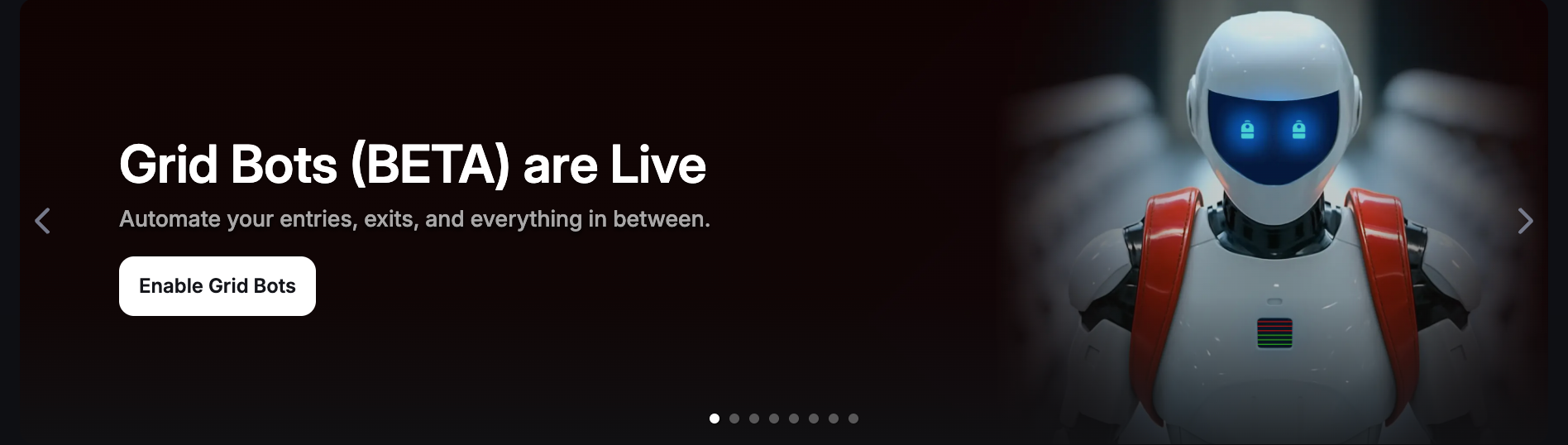
This update is part of our ongoing effort to bring faster, safer, and more intuitive tools to Backpack users. Grid Bots run natively inside your account as sub-accounts, so there's no need for API keys or external services.
Feature Details
- Feature name: Grid Bots
- Where it appears: Settings (to enable) and Trading Bots menu (to create and manage strategies)
- Who can access it: All verified Backpack users
- What it does: Automates trading by placing buy and sell orders at intervals inside a price range. The bot captures profit from each price swing without manual intervention.
- Rollout stages: Full release. Additional automation tools will follow in future updates.
Grid Bots integrate with Backpack's existing yield infrastructure. Idle capital inside a grid strategy earns through auto-lending on supported assets, SOL staking rewards, and stablecoin yield. The feature is optimised for high-performance chains, including Solana and Monad.

How Grid Bots Work
- Set a price range and the bot places buy orders at the lower end, sell orders at the upper end
- As the price moves up and down, the bot executes trades and captures profit from each swing
- Each grid strategy runs as a sub-account with separate PnL tracking and execution history
- Adjust parameters (grid spacing, order count, position size) from the main dashboard without stopping the bot
- Capital between executions earns yield automatically through lending and staking
- Low-latency execution on Solana and Monad with sub-second order placement
Why Grid Bots Matter for Backpack Users
Backpack’s goal is to build a platform that works for everyday traders and retail investors, not just crypto-native power users. Native integrations like Grid Bots are part of that strategy.
External trading tools exist and work well for people who know how to use them. But most users won't connect an API, manage keys, or navigate a separate interface. Native automation removes that barrier entirely.
- Automates repetitive trading without API keys or external tools
- Captures volatility in sideways markets where directional bets often lose
- Combines trading profits with passive yield for better capital efficiency
- Keeps everything inside Backpack with full custody and no off-platform risk
- Reduces screen time while maintaining 24/7 market exposure
How to Set Up a Grid Bot
• Open your Backpack account on the web or mobile.
• Update the app if needed.
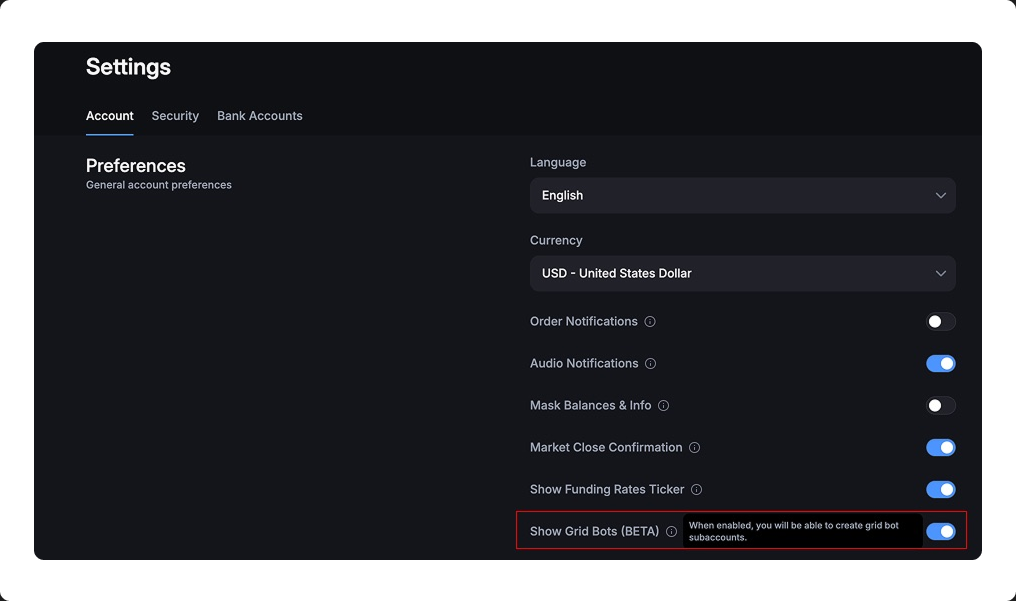
• Go to Settings and enable Grid Bots.
• Open Trading Bots from the menu.
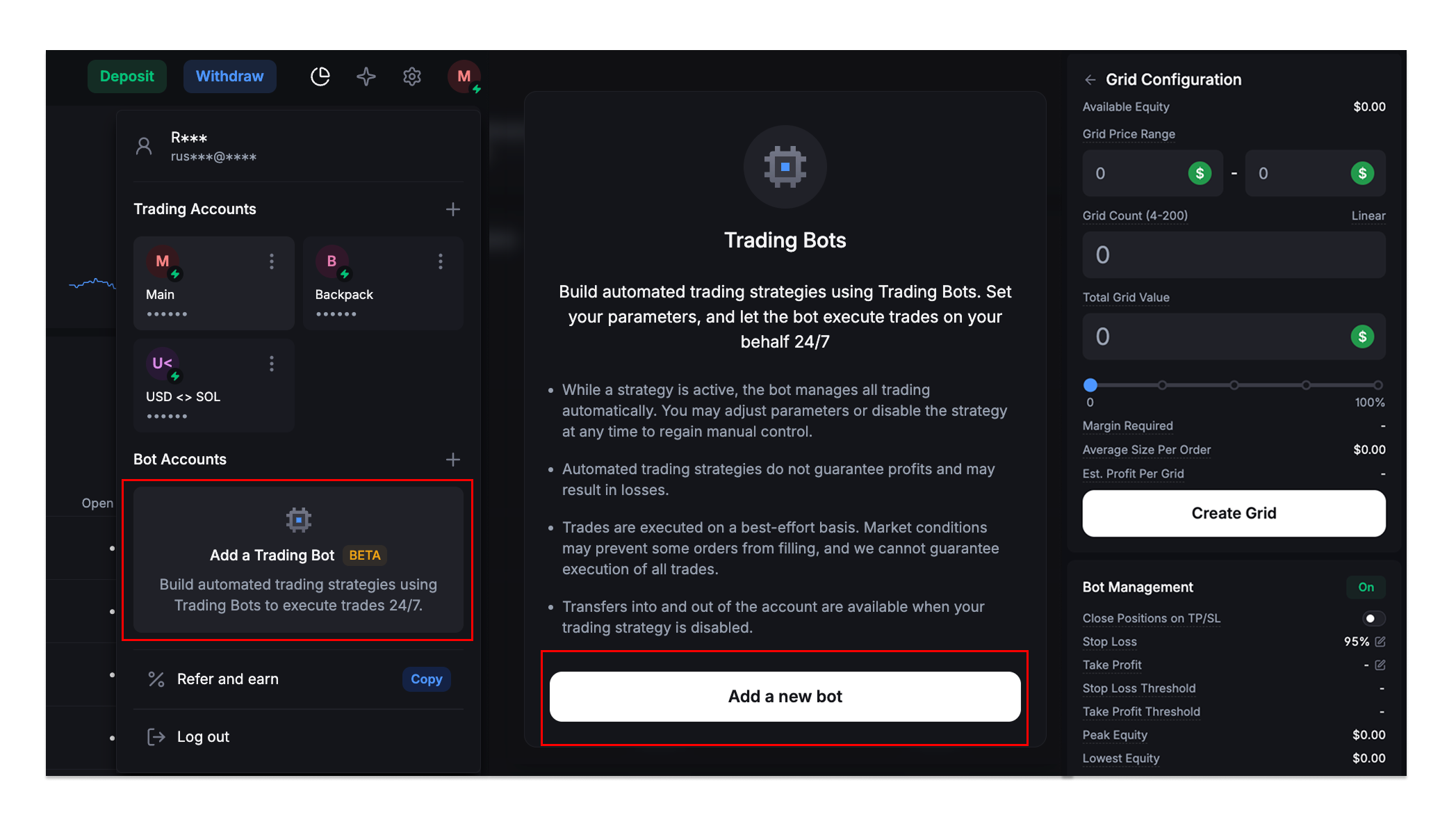
• Click Create New Grid Bot to open the configuration panel.
Grid Configuration
You'll see the following settings:
Available Equity: Shows your current balance available for the grid strategy.
Grid Price Range: Set the lower and upper price bounds where the bot will place orders. The bot only trades within this range.
Grid Count (4-200): Choose how many grid levels to create. More grids mean smaller profit per trade but more frequent executions.
Grid Type: Select Linear (equal spacing between grids) or other distribution modes as they become available.
Total Grid Value: The total capital allocated to this strategy. Use the slider to set what percentage of available equity to deploy.
Margin Required: The amount needed to open all grid orders.
Average Size: Per Order shows the typical order size at each grid level based on your settings.
Est. Profit Per Grid: Estimated profit each time the bot completes a buy-sell cycle at one grid level.
Once configured, hit Create Grid to launch the bot. You can toggle Bot Management on or off to pause and resume the strategy at any time.
Your capital stays in your account. Full custody, full control.
Disclaimer: This content is presented to you on an "as is" basis for general information and educational purposes only, without representation or warranty of any kind. It should not be construed as financial, legal or other professional advice, nor is it intended to recommend the purchase of any specific product or service. You should seek your own advice from appropriate professional advisors. Where the article is contributed by a third-party contributor, please note that those views expressed belong to the third-party contributor and do not necessarily reflect those of Backpack. Please read our full disclaimer for further details. Digital asset prices can be volatile. The value of your investment may go down or up and you may not get back the amount invested. You are solely responsible for your investment decisions and Backpack is not liable for any losses you may incur. This material should not be construed as financial, legal or other professional advice.
Learn More About Backpack

.png)
Get the latest in crypto dropped to your email.
Related Articles
No items found.
Terms
Backpack takes seriously its obligations to protect your personal information under the European General Data Protection Regulations and other applicable laws and regulations.
By providing Backpack with your email address, you confirm that you have read and understood the Backpack Privacy Policy and hereby consent to the collection, use, disclosure and processing of your personal information by Backpack and its affiliates.
(https://support.backpack.exchange/articles/privacy-policy)