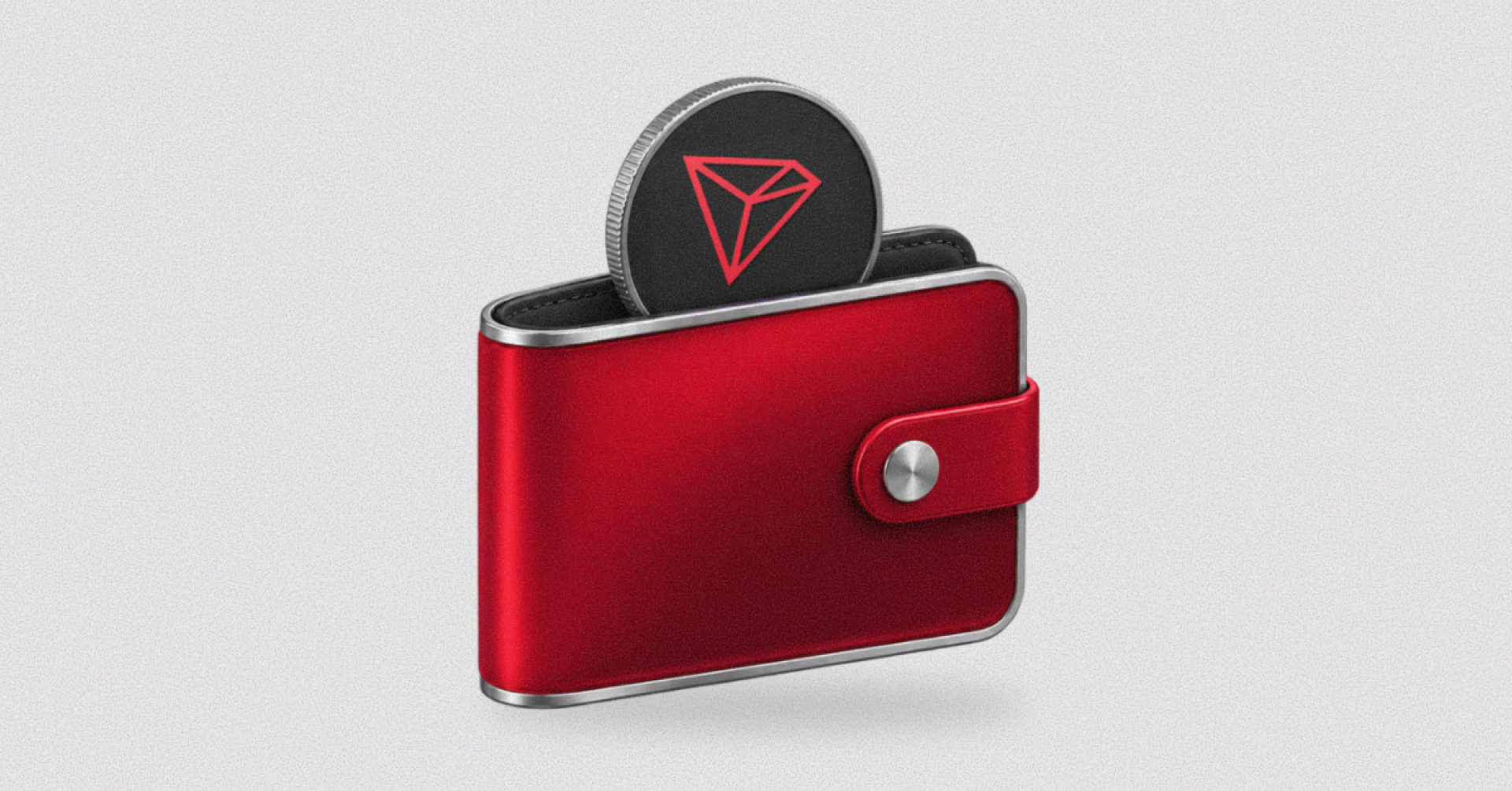
A TRON wallet lets you manage TRX and tokens on the TRON blockchain, including USDT issued as a TRC-20 token. You can use it to receive funds, send payments, and bridge assets to other networks.
This guide explains how a TRON wallet works, what to know about USDT and fees on TRON, and how to set one up with Backpack.
What Is a TRON Wallet?
A TRON wallet is an application or device that manages the keys used to control a TRON account. Your assets remain on the blockchain; the wallet lets you view balances and authorize transactions.
With a self-custodial wallet, you control the keys. Anyone who has your recovery phrase can access your funds, so protecting it is part of managing the wallet.
“TRX wallet” and “TRC-20 wallet” describe related uses of a TRON wallet. TRX is the network’s native asset, while TRC-20 is the token standard used by assets such as USDT. A compatible wallet manages both.
TRON Wallet Addresses and USDT: What to Know
A TRON address has 34 characters and starts with T. The same address holds TRX and TRC-20 tokens, so you do not need a separate account for USDT.
USDT exists on several networks. On TRON it is a TRC-20 token, while on Ethereum it is an ERC-20 token, so the token name alone does not tell you which network to select.
Before a transfer, match three details:
- Asset: the recipient supports the token you are sending.
- Network: both sides use TRON.
- Address: the destination is the recipient’s TRON address for that asset.
If an exchange offers several USDT withdrawal networks, select TRON (TRC-20) when sending to a TRON wallet. To move USDT from another blockchain, use a bridge instead of pasting a TRON address into a transfer on the original network.
Do You Need TRX to Send USDT?
In practice, yes. A USDT balance does not cover the cost of sending it. TRON charges for transactions in two resources, and TRX pays for both.
- Bandwidth: covers the transaction’s data size. Every transaction uses it, and each account gets a small free allowance.
- Energy: covers smart contract execution. A USDT transfer uses it because TRC-20 tokens run on smart contracts, and there is no free allowance.
You get more of either resource by staking TRX, or another account can delegate it to you. If you do not have enough, the network burns TRX from your balance to cover the difference.
The fee varies from one transfer to the next. It depends on the resources you have at that moment and on the recipient: sending USDT to an address with no USDT balance uses more Energy.
How to Create a TRON Wallet With Backpack
Backpack Wallet supports TRON on its mobile app and browser extension, so you manage TRON assets in the same self-custodial wallet as your assets on other networks.
1. Install or Update Backpack
Download Backpack from the official website, or update to the latest version if you already use it. If you are creating a new wallet, write down your recovery phrase during setup and store it offline.
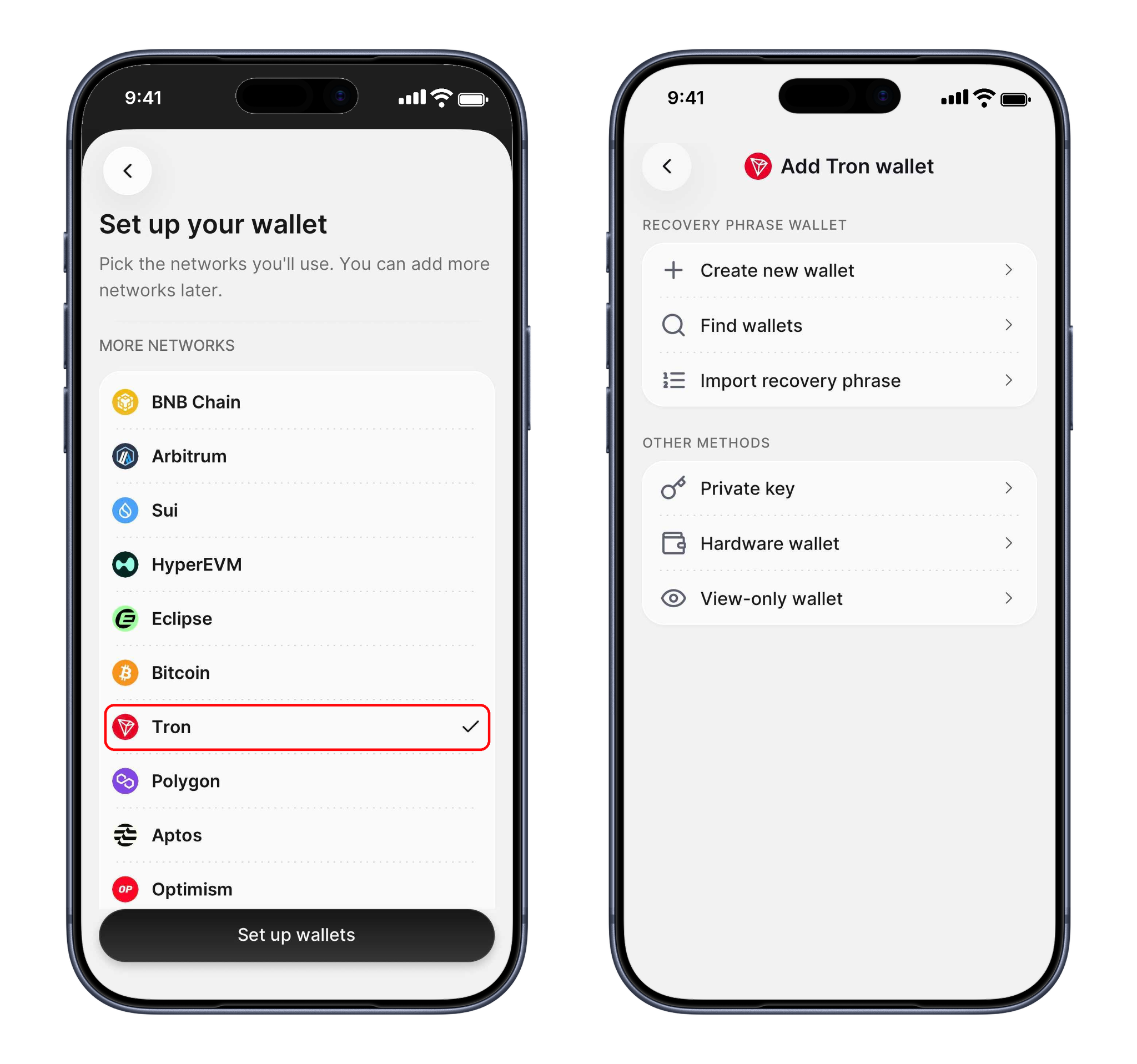
2. Add TRON
Open the network list in Backpack and add Tron. TRON uses its own address format, so Backpack creates a new TRON address under the same recovery phrase as the rest of your wallet.
3. Fund Your Address
Copy your TRON address and send TRX to it first, from an exchange or another TRON wallet. A new TRON address is activated on-chain when it receives TRX from an existing account, and TRX covers your transaction fees.

For a first transfer to a new address, send a small test amount before the rest. Copy the address from the recipient’s receiving screen or deposit page, not from your transaction history, where scam addresses made to look like ones you have used can appear.
Using TRON Beyond Transfers
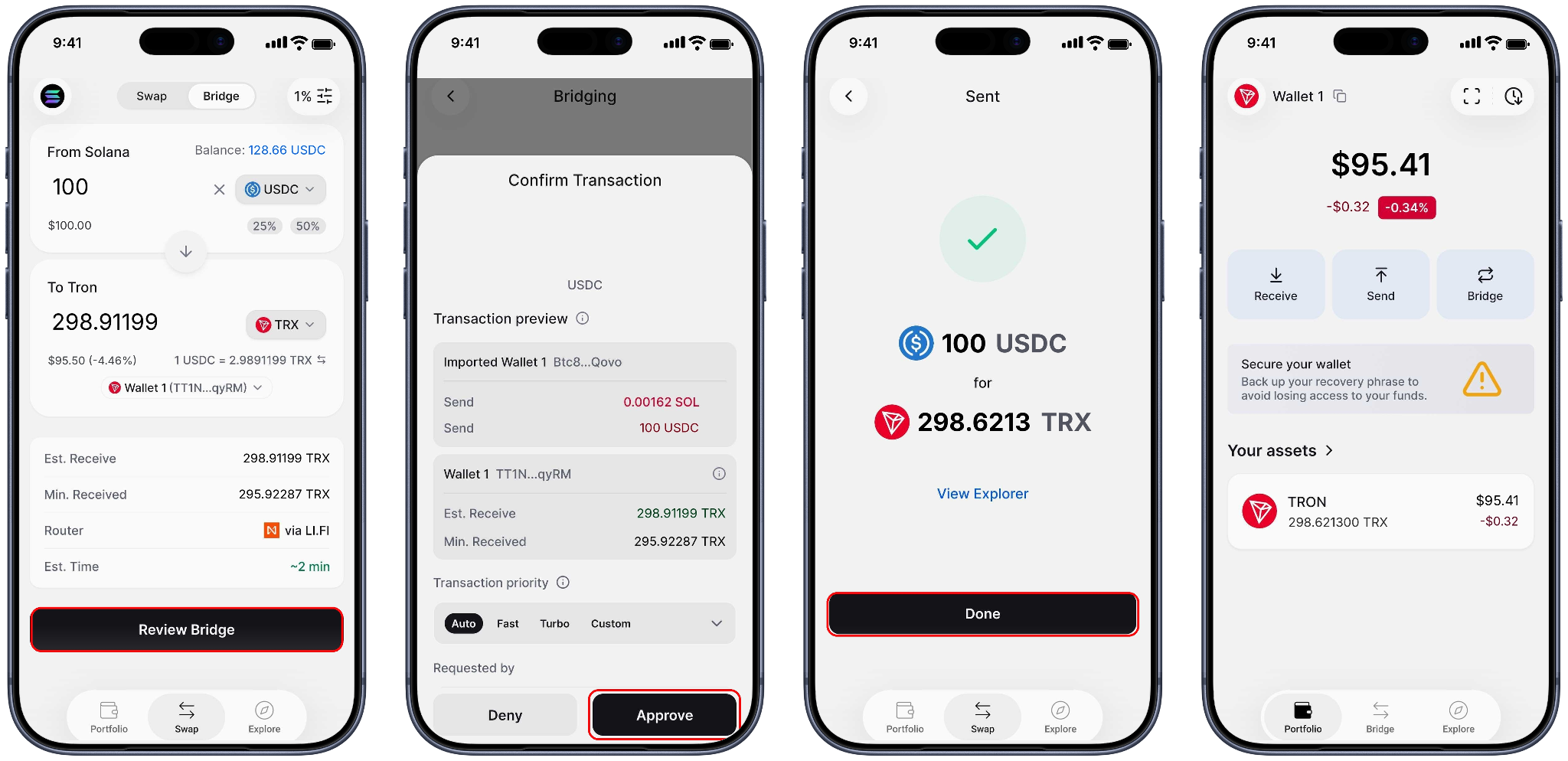
If your funds are on Solana, Ethereum, or another supported network, Backpack’s built-in bridge moves them to TRON in seconds, and back out the same way. You never leave the wallet or connect to an external bridge: tap Bridge on your TRON wallet, choose the asset and amount, and approve.
Explore opens DeFi apps and other dApps on TRON, such as SUN.io, directly in Backpack. Before you approve token spending in a dApp, check the amount you are allowing it to move.
Learn more about Backpack
Exchange | Wallet | Twitter | Discord | Reddit
Disclaimer: This content is presented to you on an “as is” basis for general information and educational purposes only, without representation or warranty of any kind. It should not be construed as financial, legal or other professional advice, nor is it intended to recommend the purchase of any specific product or service. You should seek your own advice from appropriate professional advisors. Where the article is contributed by a third party contributor, please note that those views expressed belong to the third party contributor, and do not necessarily reflect those of Backpack. Please read our full disclaimer for further details. Digital asset prices can be volatile. The value of your investment may go down or up and you may not get back the amount invested. You are solely responsible for your investment decisions and Backpack is not liable for any losses you may incur. This material should not be construed as financial, legal or other professional advice.