Featured

Backpack Now Supports Arc Across Exchange and Wallet
Backpack
September 28, 2026
Arc is now fully integrated into Backpack. You can deposit and withdraw USDC on Arc through Backpack Exchange, and swap, bridge, and explore the Arc ecosystem in Backpack Wallet in full self-custody.
About Arc
Arc is an open Layer-1 blockchain for stablecoin-native finance, designed by Circle and launched by Arc Network Services LLC. Public mainnet went live on September 16, 2026, after a private mainnet phase with more than 100 ecosystem and institutional builders.
USDC is the native gas token on Arc, so transaction fees are denominated in dollars instead of a volatile gas token. Transactions reach deterministic finality in under a second, and the network is EVM compatible. Arc also connects directly to Circle's platform, including CCTP and Gateway, for moving native USDC across chains.
The network is built for payments, FX, lending, tokenized assets, and agentic economic activity.
What you can do with Arc on Backpack
What you can do with Arc on Backpack
On Backpack Exchange
- Deposit and withdraw USDC over the Arc network
- Bridge supported assets to and from Arc
- Use Arc USDC as a USD equivalent across spot, perps, and stocks
In Backpack Wallet
Backpack supports each network natively, with a dedicated portfolio and ecosystem experience for Arc.
- Send, receive, and hold Arc assets in full self-custody
- Swap tokens on Arc without leaving the app
- Bridge between Arc and other supported networks in seconds
- Explore the Arc DeFi ecosystem directly from Wallet
- Manage Arc assets alongside your full multichain portfolio
Get Started
On Backpack Exchange
Deposit USDC over Arc
Open Deposit, select USDC, then choose Arc as the network. Send only USDC over Arc to the address shown.
Withdraw USDC to Arc
Open Withdraw, select USDC, choose Arc, then enter the destination address. Confirm that the receiving wallet supports Arc before you send.
In Backpack Wallet
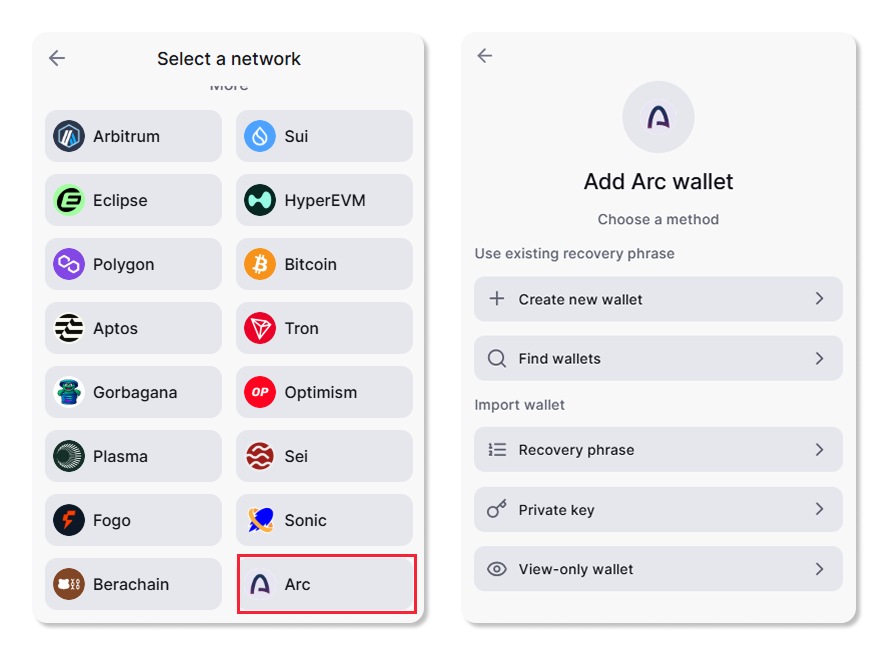
Add the Arc Wallet
Update Backpack Wallet to the latest version. Because Arc is EVM compatible, your existing Ethereum wallet can serve as your Arc address, so adding Arc works the same way as other EVM networks in your wallet.
Fund Your Wallet
Add supported assets to your Arc wallet to begin interacting with the network. Arc uses USDC as the native gas token, so keep some USDC available to cover transaction fees.
Bridge Assets
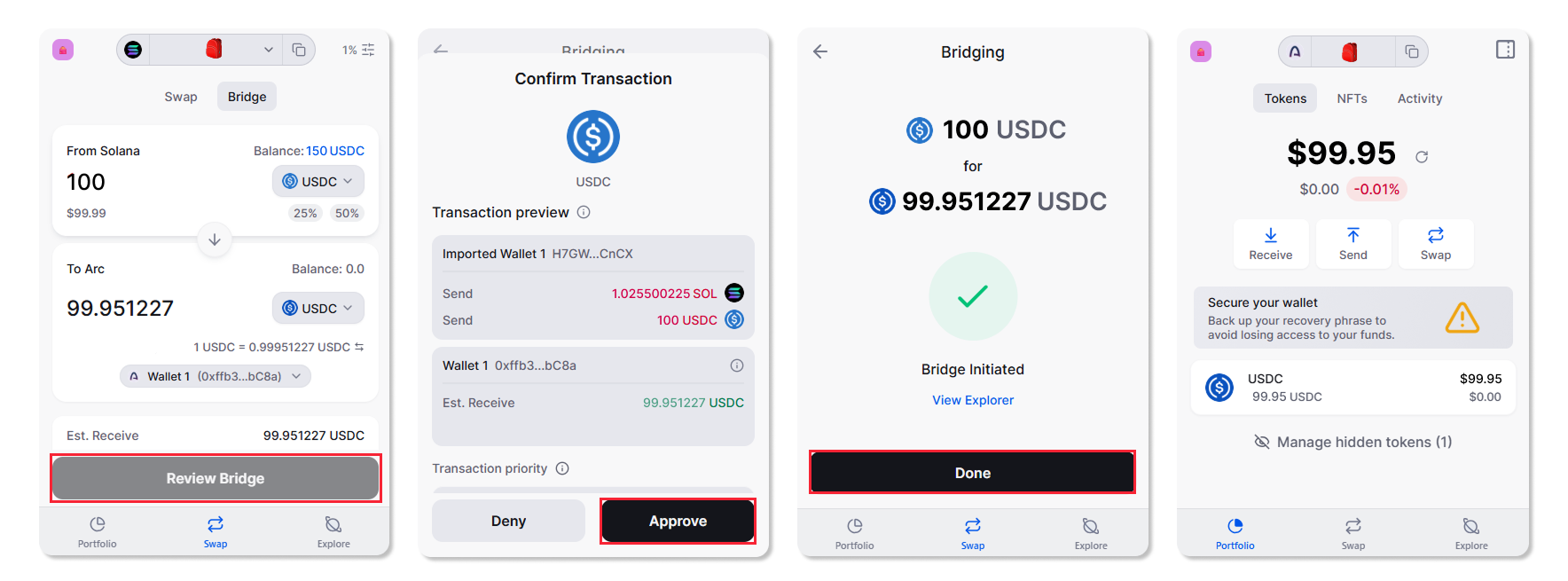
Bridge tokens from Solana, Ethereum, and other supported chains into Arc in seconds, directly from Backpack Wallet, and moving them back out works the same way.
- Tap the Swap tab and switch to Bridge
- Select the tokens to send and receive, then enter the amount
- Choose your destination wallet and tap Review Bridge
- Review the transaction and approve
Discover and Swap Tokens
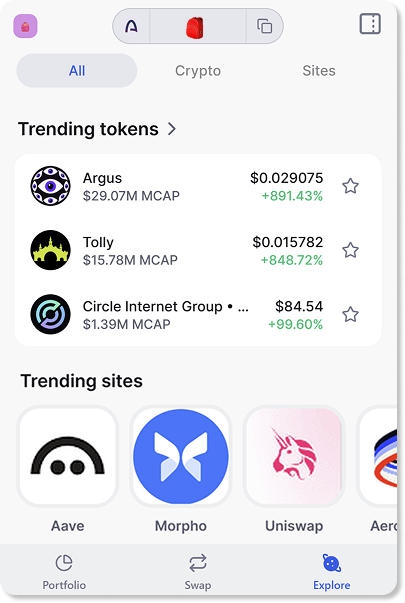
Browse trending Arc tokens and swap into them directly from Backpack Wallet.
Explore the Arc Ecosystem
Use the in-wallet explorer to find applications built on Arc and start interacting with them without leaving Backpack Wallet.
Your Backpack account and wallet are now connected to Arc. You can move USDC on and off the exchange, manage balances, and interact with decentralized applications in one place.
Start exploring Arc on Backpack today. Download Backpack Wallet

.png)
Get the latest in crypto dropped to your email.
Terms
Backpack takes seriously its obligations to protect your personal information under the European General Data Protection Regulations and other applicable laws and regulations.
By providing Backpack with your email address, you confirm that you have read and understood the Backpack Privacy Policy and hereby consent to the collection, use, disclosure and processing of your personal information by Backpack and its affiliates.
(https://support.backpack.exchange/articles/privacy-policy)