
Backpack allows you to create, monitor, and manage grid strategies directly from the mobile app.
This makes it easier to track performance, adjust parameters, and manage positions without relying on the desktop platform.
Key Takeaways
- Grid bots can be created, monitored, and managed directly from the Backpack mobile app
- Each grid runs inside a dedicated Trading Bot sub-account, separate from your main account
- Execution happens natively on Backpack without API keys or third-party tools
- Deposits and withdrawals are disabled while a bot is running
- Funds remain under your control within your Backpack account
How Grid Bots Work on the Mobile App
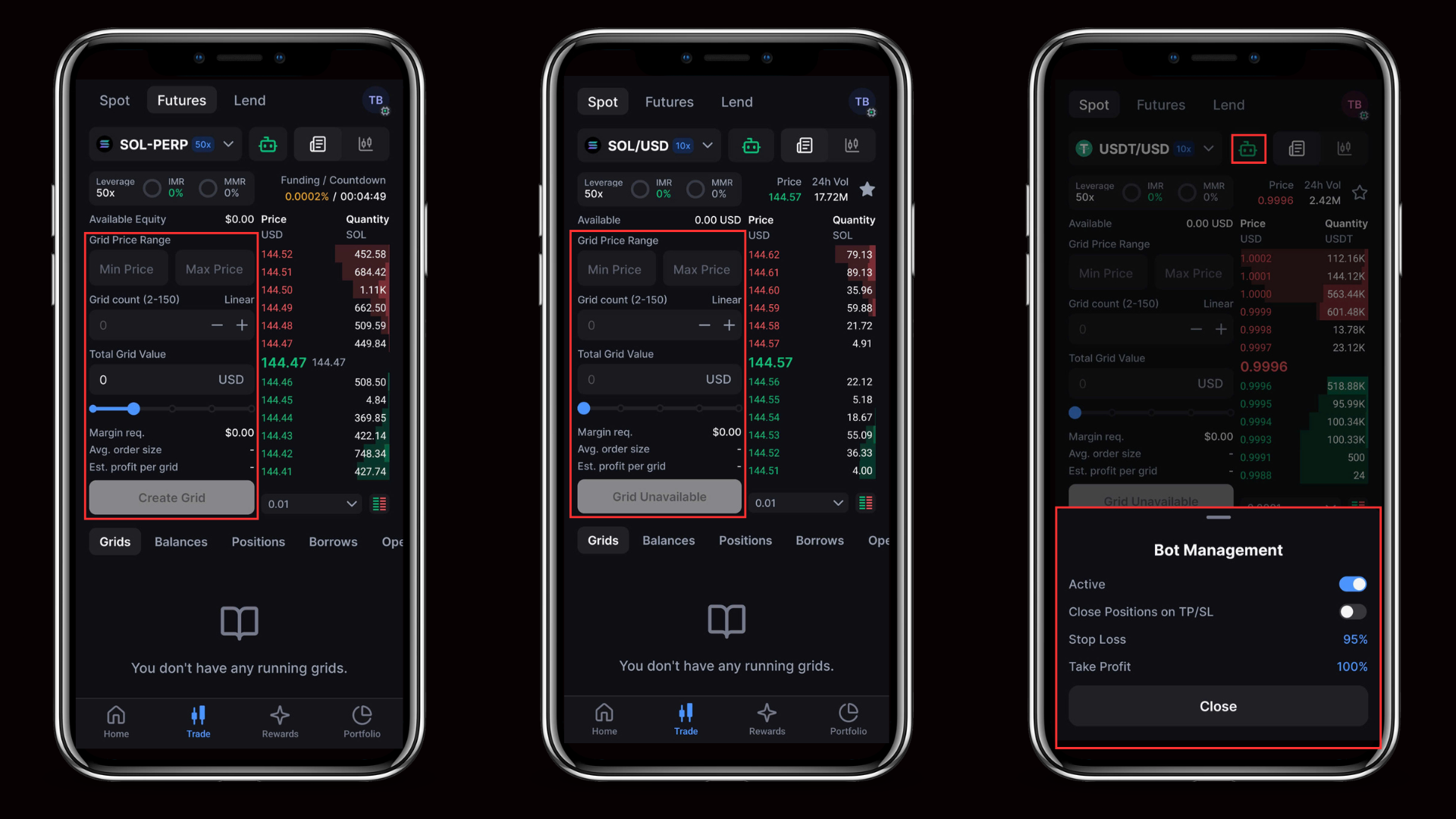
On mobile, grid bots are managed through a Trading Bot sub-account that contains all automated strategies.
The typical flow is:
- A Trading Bot sub-account is created in the mobile app
- Grid strategies are launched inside that sub-account
- Bot-level settings control how strategies behave
- Execution runs on Backpack infrastructure, while monitoring and adjustments are handled directly in the app
This structure keeps automated strategies separate from manual trading, making performance easier to track and manage.
Key Features
Trading Bot Sub-Accounts
Each grid strategy runs inside its own Trading Bot sub-account.
This allows you to:
- Separate automated strategies from manual trading
- Manage risk independently for each setup
- Track positions and performance more clearly
Bot-Level Controls
Controls in the mobile app apply at the bot level.
- Turning the bot on or off starts or stops all strategies
- Stop loss and take profit close positions based on defined thresholds
- Close on stop ensures positions are fully settled when stop conditions are met
Stopping a single strategy does not turn off the entire bot.
Native Mobile Execution
Grid bots run directly on Backpack infrastructure.
- No API keys are required
- No external tools or services are used
- Orders are executed within the same system as manual trades
Funds remain in your Backpack account at all times.
Advanced Controls
Grid bots include additional controls that allow strategies to respond to changing market conditions.
- Price-based stops can pause a strategy when the market reaches a defined level
- Trailing grids adjust the range as price moves
- Trigger prices allow strategies to activate only when specific conditions are met
These controls help reduce manual intervention when managing strategies on mobile.
Getting Started
1. Open the Backpack mobile app
2. Go to Trade, then Bots
3. Tap Add a Trading Bot
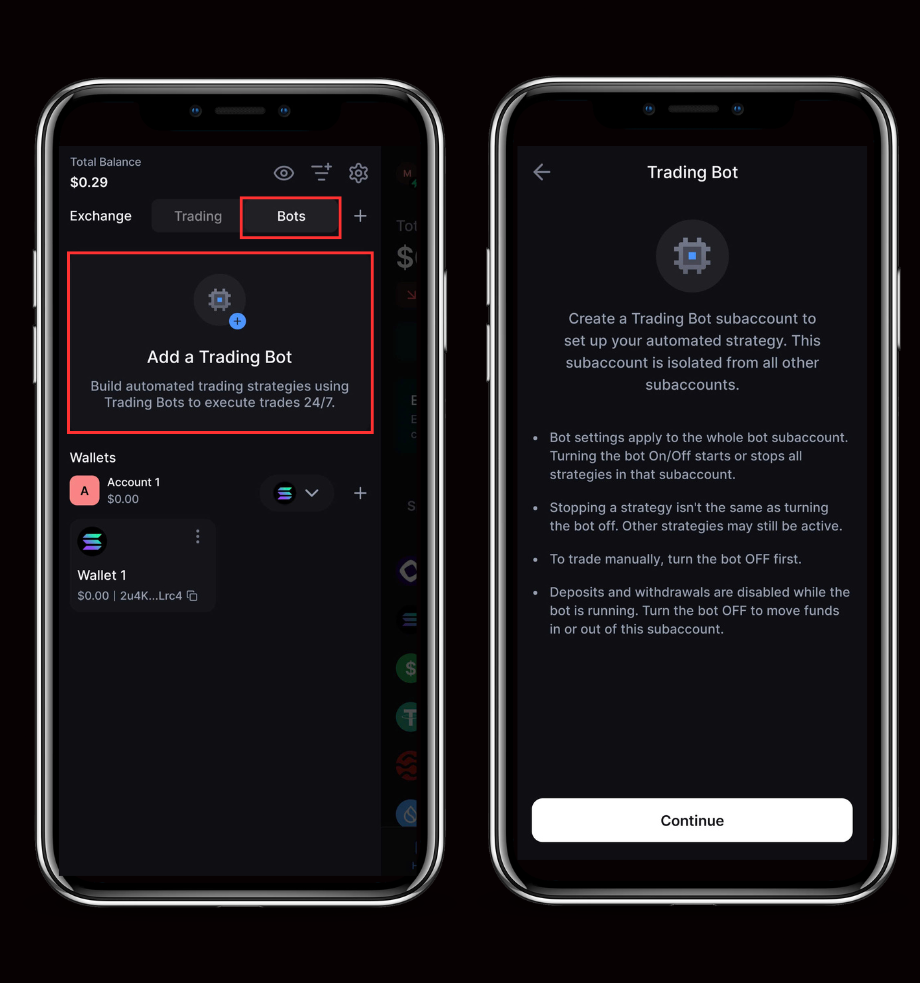
4. Create a Trading Bot sub-account
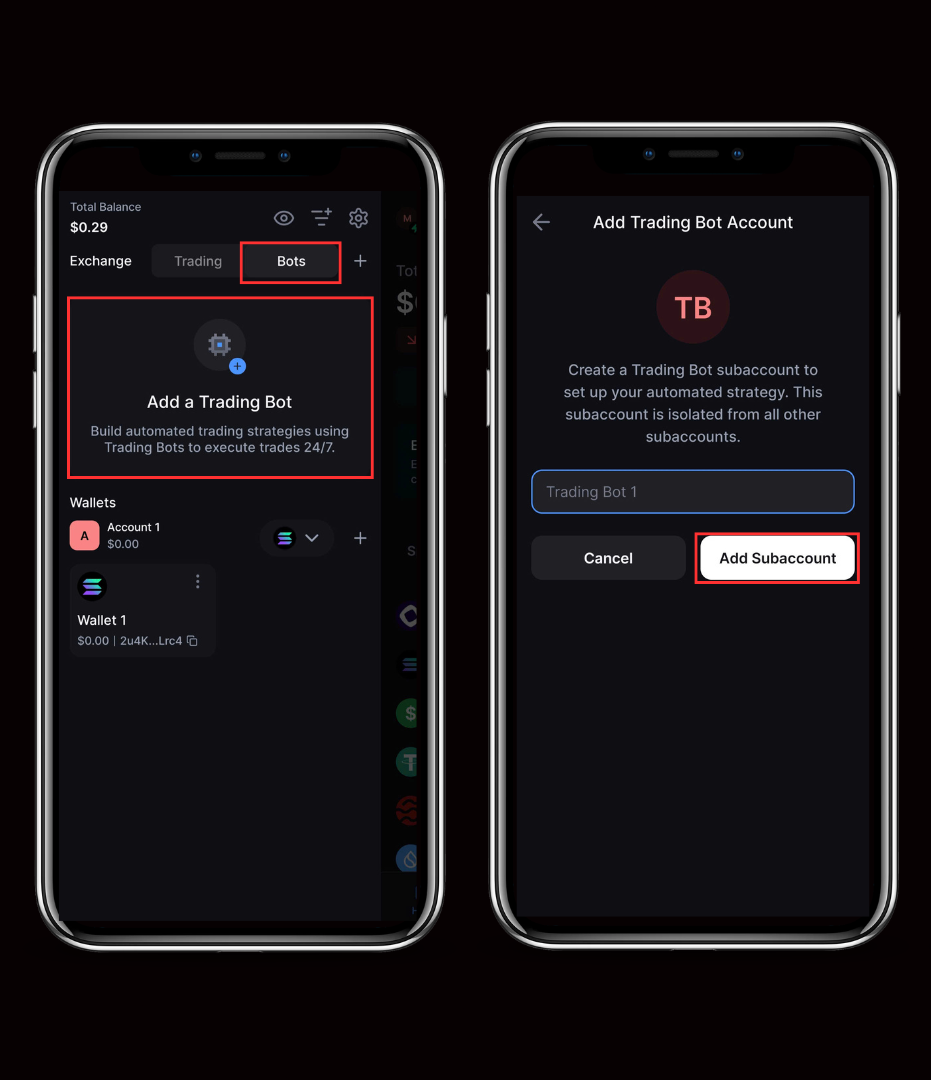
5. Configure and launch a Grid strategy
Learn more about Backpack
Exchange | Wallet | Twitter | Discord | Reddit
Disclaimer: This content is presented to you on an “as is” basis for general information and educational purposes only, without representation or warranty of any kind. It should not be construed as financial, legal or other professional advice, nor is it intended to recommend the purchase of any specific product or service. You should seek your own advice from appropriate professional advisors. Where the article is contributed by a third party contributor, please note that those views expressed belong to the third party contributor, and do not necessarily reflect those of Backpack. Please read our full disclaimer for further details. Digital asset prices can be volatile. The value of your investment may go down or up and you may not get back the amount invested. You are solely responsible for your investment decisions and Backpack is not liable for any losses you may incur. This material should not be construed as financial, legal or other professional advice.